Attendance, hours and employee documents, in one system.
CoreJob records clock-ins by face recognition, smartphone or badge, assigns hours to sites, prepares the monthly summary for your payroll accountant and delivers payslips to each employee. Installed on your own server, with your brand.
- Dedicated installation on your own server
- iPhone and Android app with your logo
- Each module is switched on only if you need it
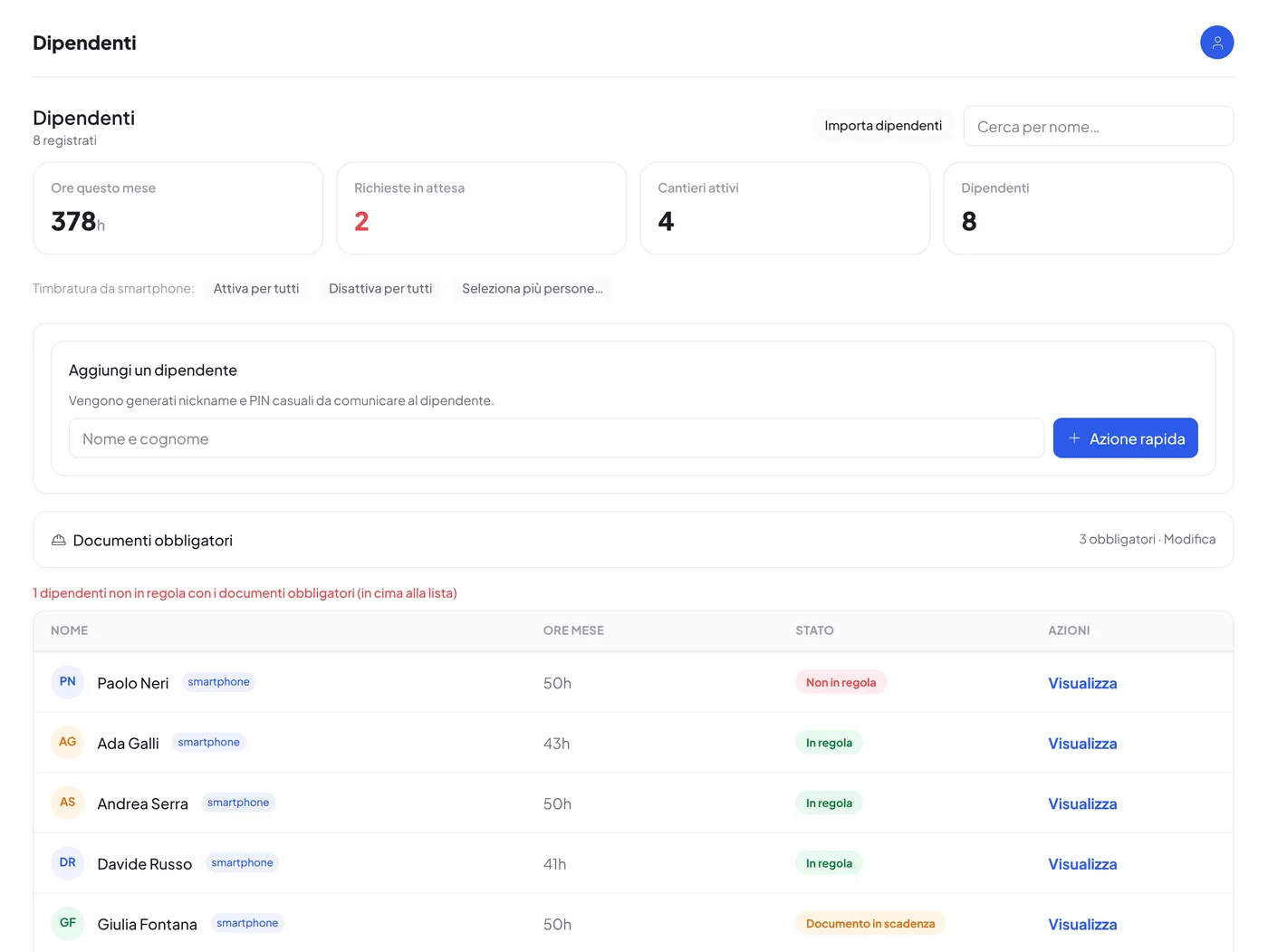
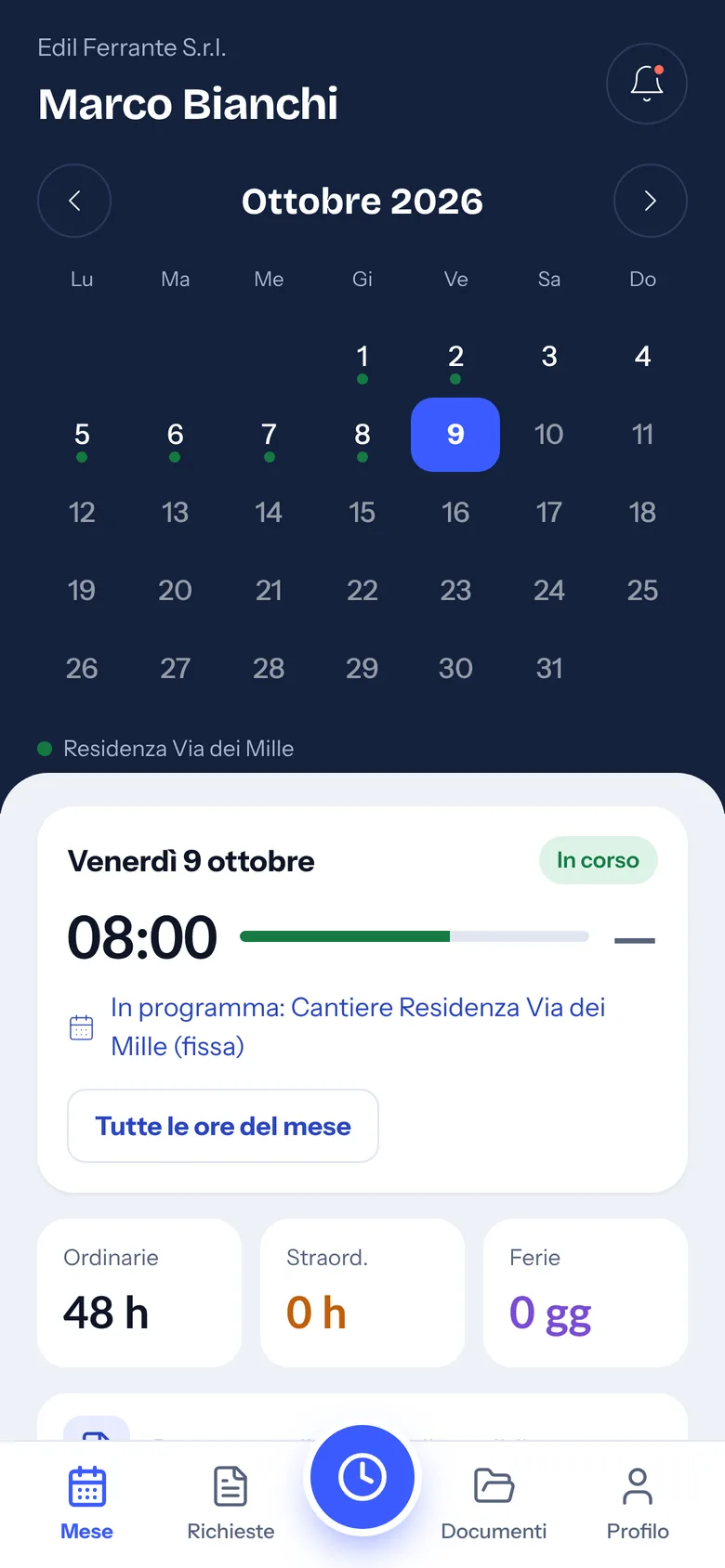
Who it is for
Built for companies that work on site and at customers’ premises.
CoreJob was born in construction and plant engineering, where crews change location every day and the office needs to know who was where, for how many hours and with which documents in order.
How it works
From the clock-in to the payslip, with no manual steps.
Every piece of data is created once, where it happens: on site, on the employee’s phone, in the supplier portal. From there it reaches the office already in the right place.
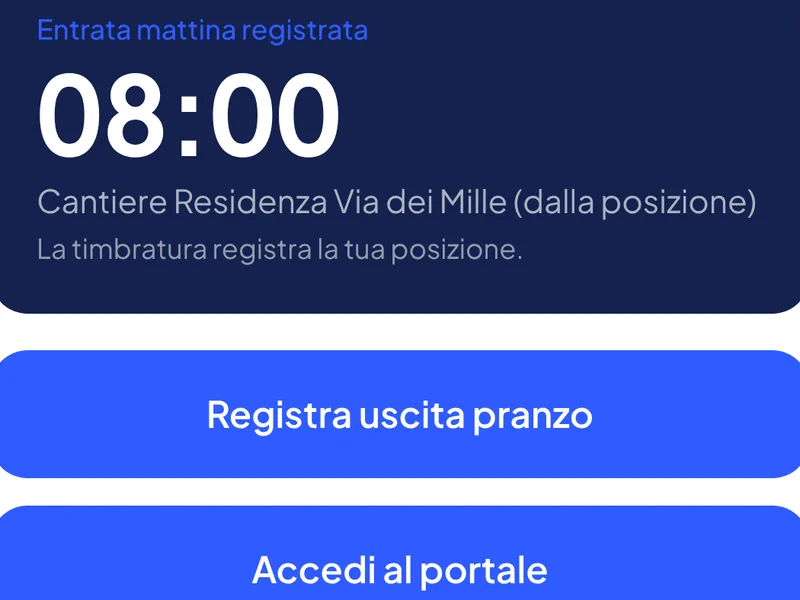
The employee clocks in
By face on the tablet at the entrance, with a badge or from the smartphone. With location enabled, the clock-in recognises the site by itself.
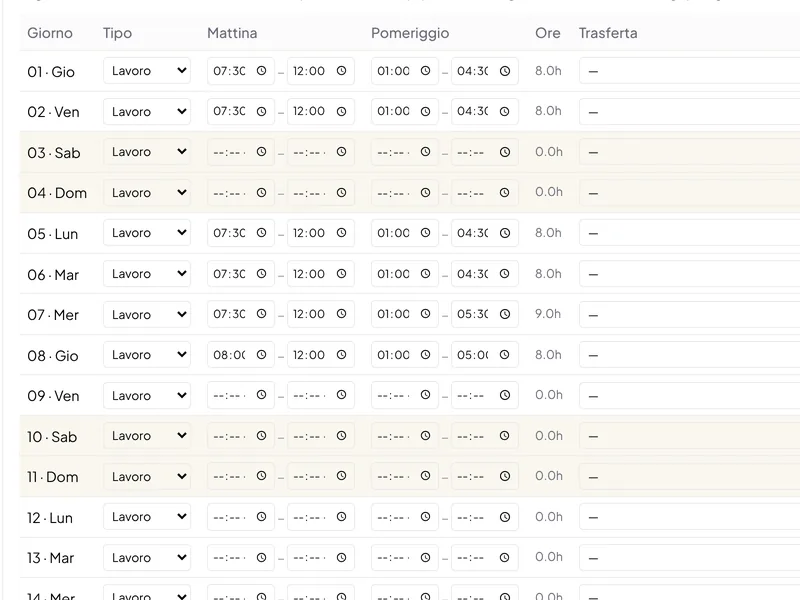
Hours go to the site
Ordinary, overtime, Saturday and public holidays according to the company’s rules; each day is assigned to a site, a business trip or a job.
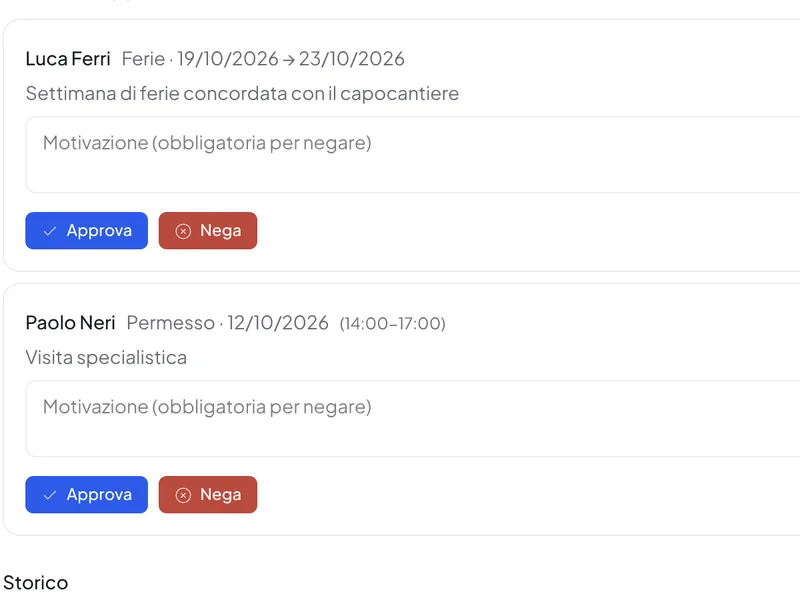
The office approves
Leave, time off, expenses and corrections to hours arrive as requests; the employee gets the answer with a notification.
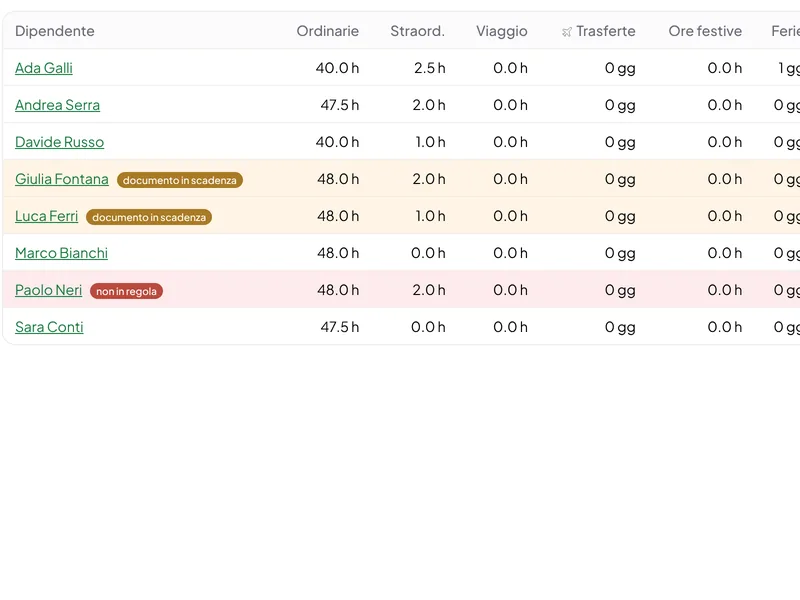
The summary goes to the accountant
At month end, an Excel file with hours, overtime and absences for all employees, ready for payroll processing.
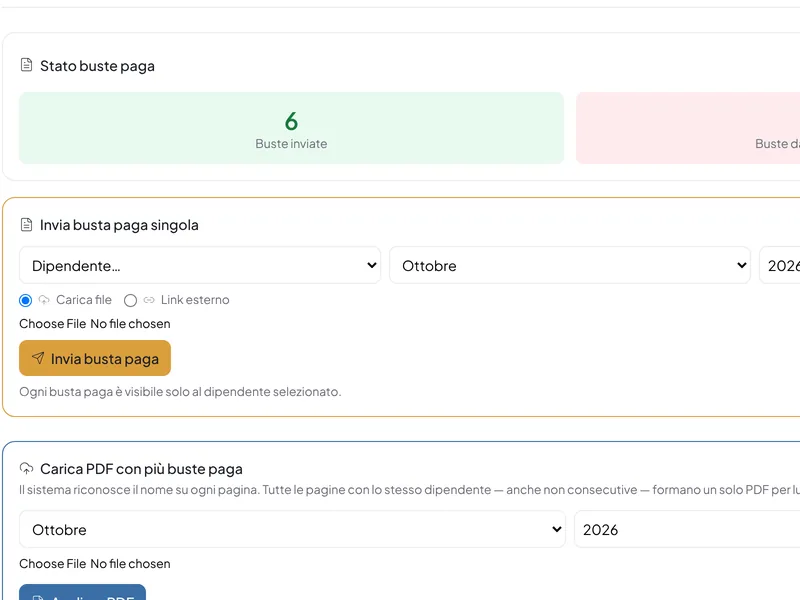
Payslips go back to employees
The accountant’s single PDF is split and delivered to each person in the app, with a notification.
What it includes
All the modules, switched on one at a time.
CoreJob covers the whole cycle of operational staff. Each module is switched on from the configuration: start with what you need today and add the rest when the time comes.
Clocking in
Face recognition, RFID badge and smartphone, with rules for rounding, overtime, Saturdays and public holidays.
Clock-in location
A map zone for each site: whoever clocks in from the phone is assigned to the site they are standing in.
Hours, absences and payroll
Hours register, leave, time off and sick leave, monthly summary for the accountant, payslips sorted automatically.
Sites, business trips and cost statements
Hour and expense budgets per site; business-trip cost statements in Excel, emailed to the customer with the receipts.
Jobs and boards
A board for every job, as in Trello: lists, cards and checklists for the crew and the suppliers, also connected to Trello.
Scheduling
Who goes where, day by day: permanent and fixed-period assignments, with uncovered people highlighted.
Project managers
A reserved area for each manager, limited to their sites and their crew.
Service reports
Hours, materials and photos, with the customer’s signature on the spot or remotely; also on the client’s own PDF form.
Documents and deadlines
Medical check-ups, certificates and fitness with a status dot; automatic sorting of PDFs.
Expenses and reimbursements
Receipts photographed in the app, straightened by the built-in scanner and approved by the office.
Warehouse
Items, goods in and out to the sites, stock value, Excel import and export.
Supplier portal
Subcontractors upload workers and documents and accept work orders; they get an email when a document expires.
Notices, directory and PPE
Notice board with notifications, shared directory, requests and hand-overs of protective equipment.
AI assistant
Flags anomalies in hours and expenses and acts only with the permissions you grant it.
Customisation
Logo, colours, theme, menu and app name; features switched on or off for each installation.
App and installation
On your own server, with the iPhone and Android app carrying your logo and the clocking terminal on a tablet.
For every role
Everyone sees what concerns them.
Separate access for the owner, the office, project managers, employees and suppliers, each with their own panel and their own permissions.
Owner
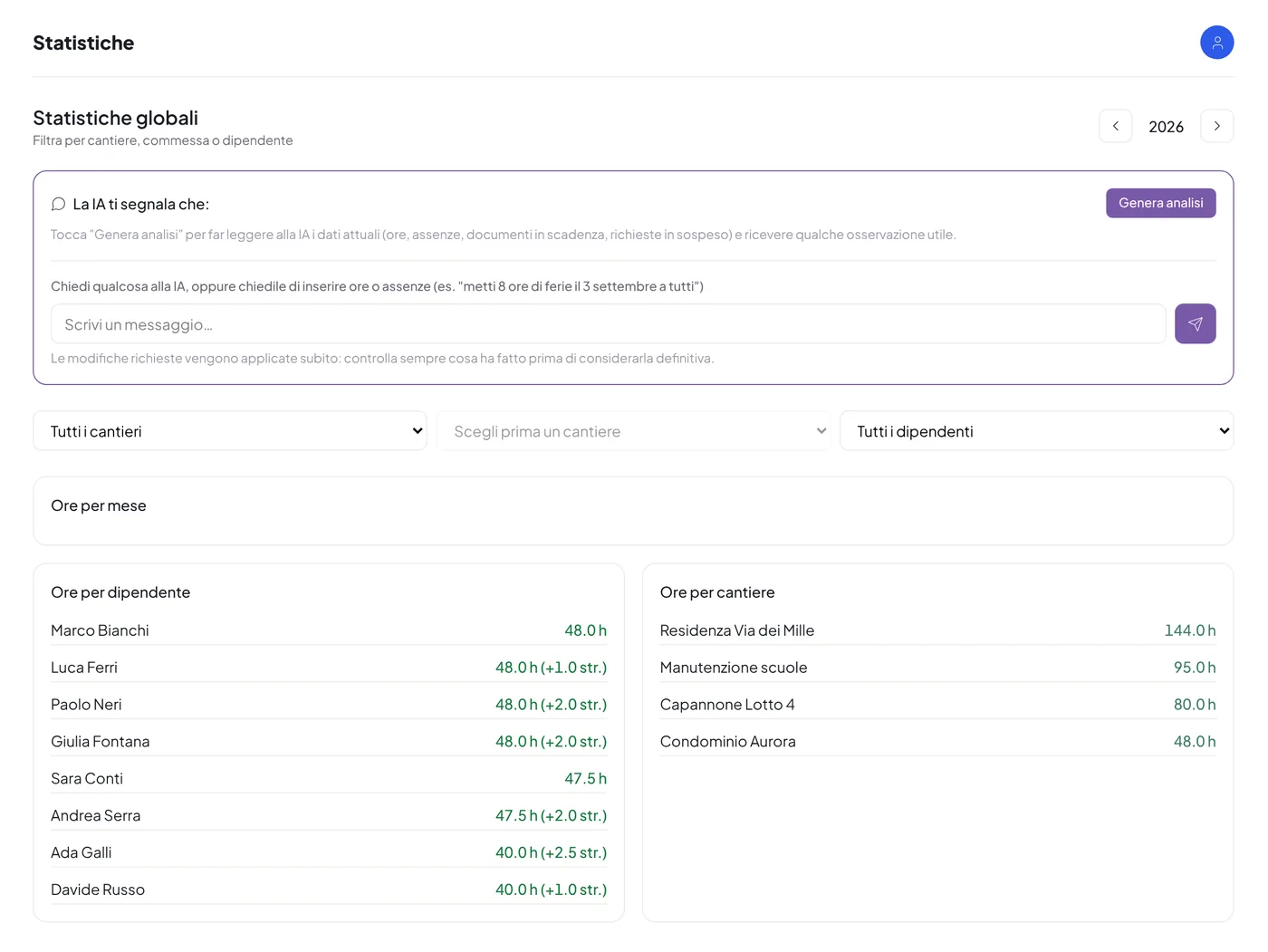
The whole company on one screen
Hours, costs per site, deadlines and today’s attendance, without asking anyone.
- Statistics on hours, absences and costs per site
- Today’s attendance and clock-ins in real time
- Progress of the jobs, board by board
- Document status of employees and subcontractors
- Assistant’s alerts on the month’s anomalies
Office
Repetitive tasks, in a few clicks
Approvals, summaries and sorting that today take hours of manual work.
- Monthly hours summary for the payroll accountant
- Payslips and certificates sorted automatically
- Approval of leave, time off and expenses
- Work orders to suppliers, with the PDF and online acceptance
- Validation of supplier documents
Project manager
Their own sites, under control
Each manager accesses only the jobs and the crew assigned to them.
- Budget and progress of hours and expenses per site
- Job boards with the crew and the job leaders
- Report per employee and per month
- Cost statements in Excel for the customer
- Site diary with photos and attachments
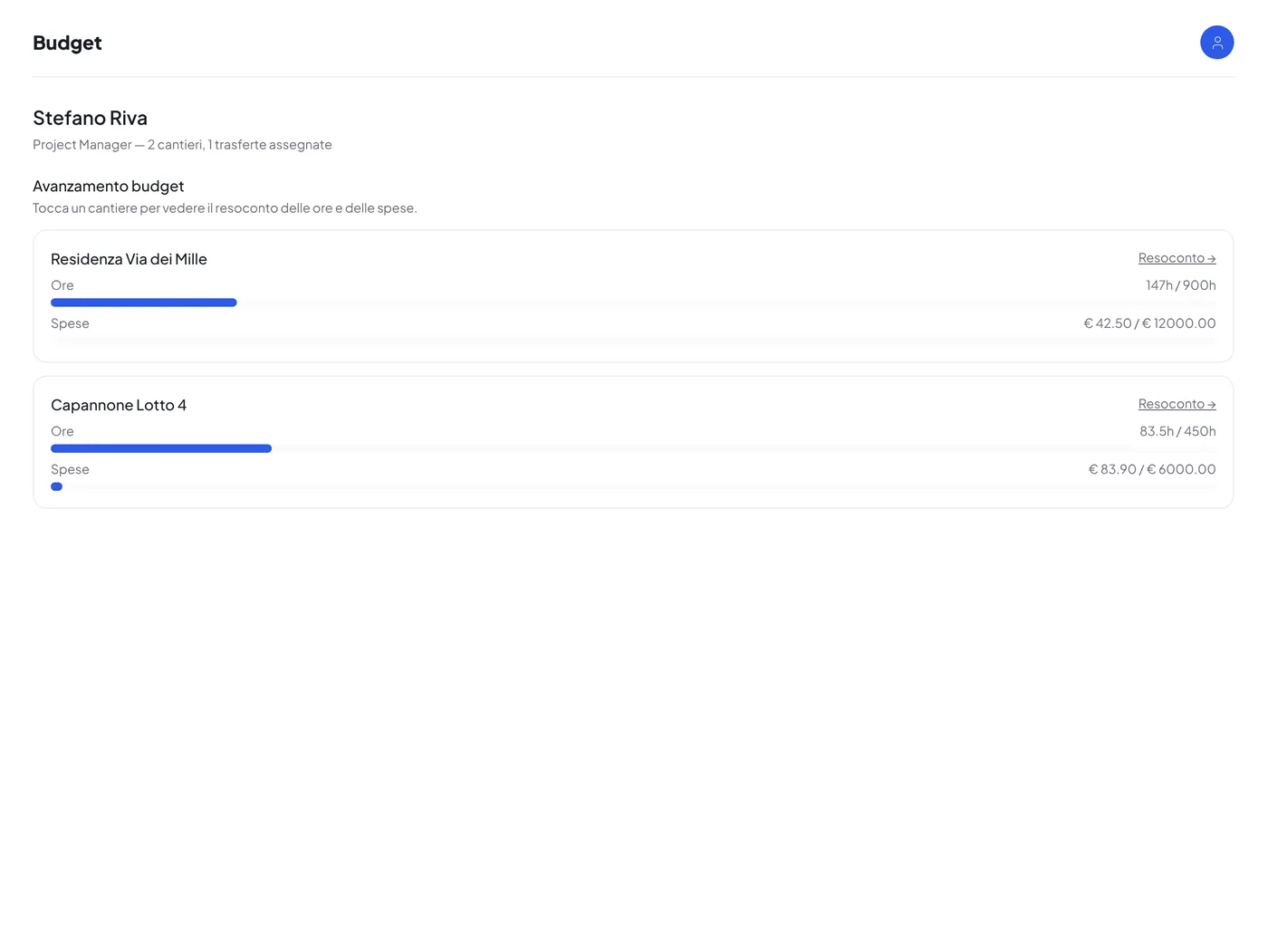
Employee
Everything from the phone, even on the road
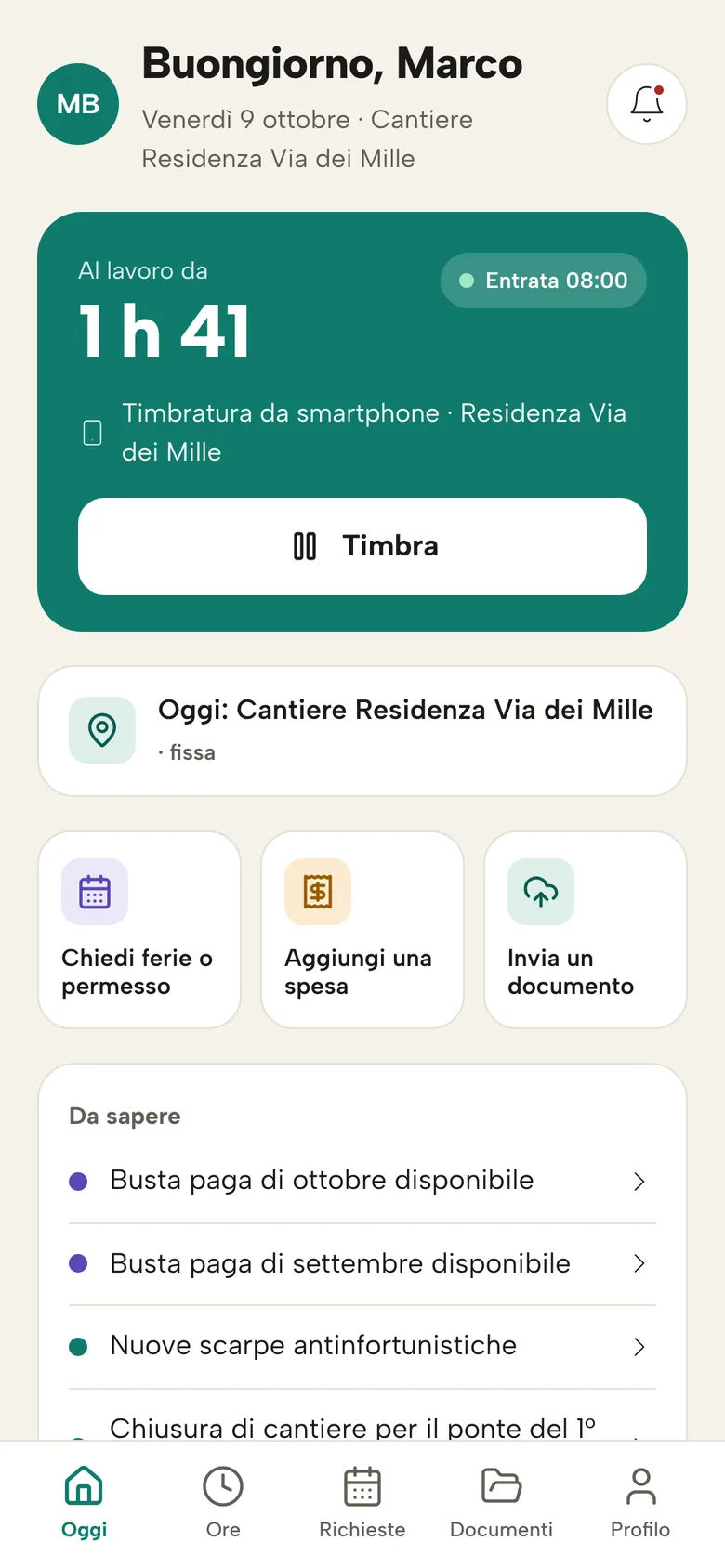
Clock-ins, requests, expenses and documents in a simple app, with notifications.
- Clocking in by face, badge or smartphone
- Leave and time-off requests with a notified answer
- Expenses with a photo of the receipt
- The job cards assigned to them, to tick off
- Payslips and notices always at hand
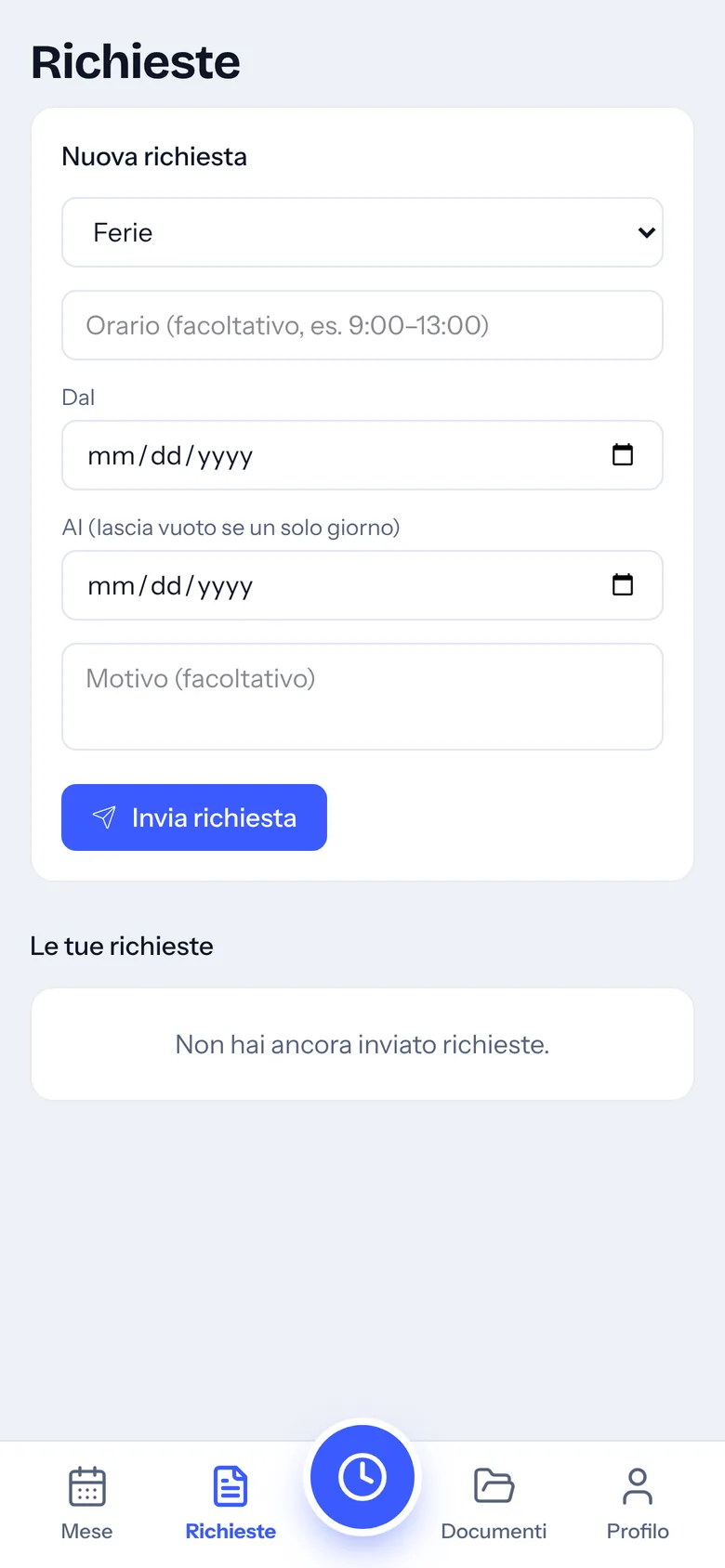
Supplier
A portal for subcontractors
Third-party companies manage their workers, documents and contracts on their own.
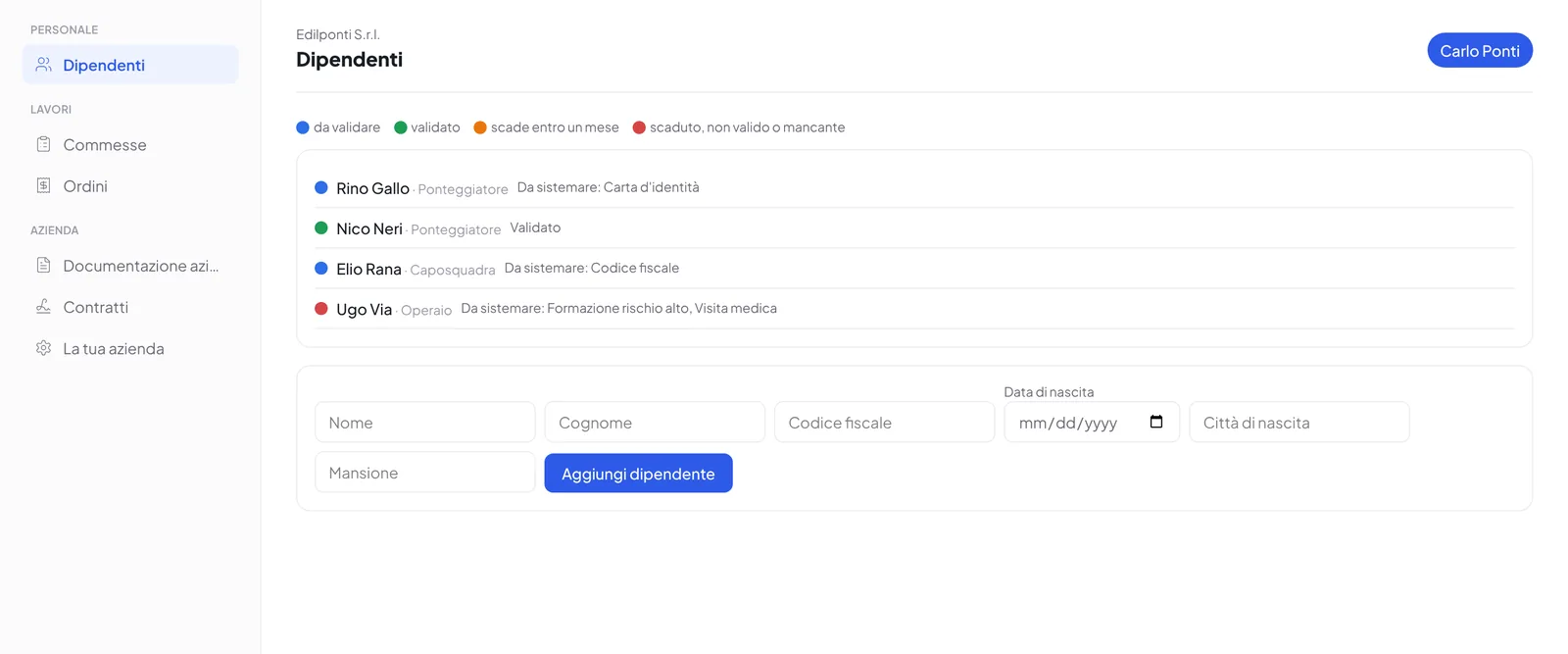
- Registration and approval by the office
- Workers’ documents with expiry and validation
- Company registration, liability insurance and compliance certificates always up to date
- Work orders to accept with one click
- An email when a document is about to expire
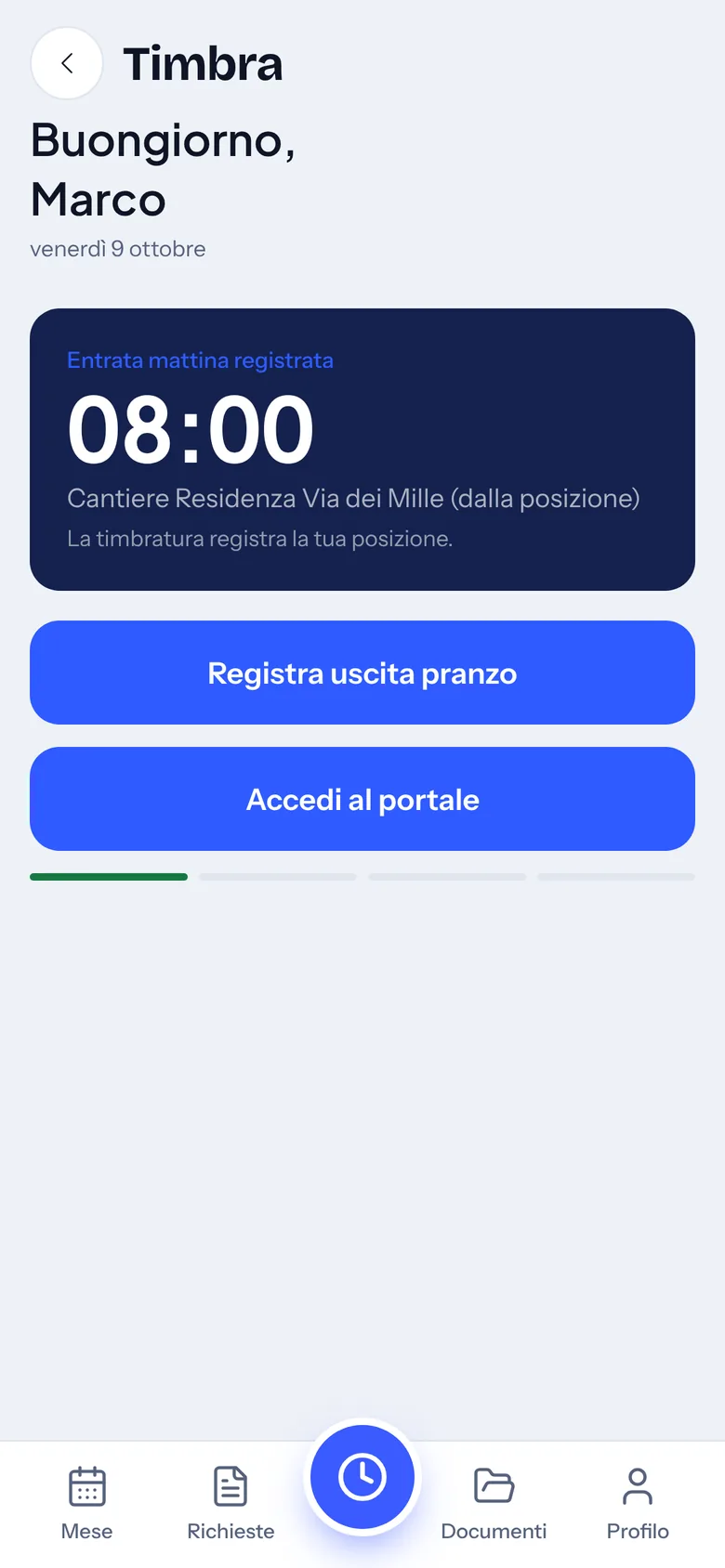
Mobile app
Your company’s app, with your name and your logo.
CoreJob can be published on Google Play and the App Store as an app dedicated to your company. Alternatively it works from the phone’s browser, added to the home screen: same features, same notifications.
- Push notifications for approvals, notices and payslips
- Clocking in with location and automatic site recognition
- Receipt scanner built into expenses
- Job boards, also with a finger
- Two interfaces to choose from, “Today” and “Month”, plus the classic one
- Forgot your PIN? A code arrives by email
The suite
CoreJob, CoreCloud and CoreDocs: one account.
CoreJob files reports and payslips in CoreCloud and collects signatures with CoreDocs. Each product also works on its own; together they share a single login.
CoreJob
Attendance, hours, sites, documents, suppliers and warehouse.
- Clocking in by face, smartphone and badge
- Hours, leave, expenses and payslips
- Sites, jobs with boards and project managers
- Supplier portal with work orders, warehouse
CoreCloud
The company’s file archive, already organised.
- A folder for every employee and every site
- Business workspaces with permissions per folder
- Desktop and mobile apps, with the synced folder
- Automatic CoreJob backups
CoreDocs
Send a PDF, get it back signed.
- Three signature levels, up to an SMS code
- Edit PDF and tools: merge, compress, protect
- Create document, also with AI
- Desktop and mobile apps
Security and data
Your data stays in your installation.
- Dedicated installation. One server, one address and one database per company: no data shared with other customers.
- Role-based access. Office with a password, advanced configuration with a separate password, employees with a personal PIN, suppliers with their own account. Forgotten PINs and passwords are recovered with a code sent by email.
- Automatic backups. Database and files saved regularly and restorable; with CoreCloud, also off the server.
- Encrypted connection and GDPR. HTTPS-only access; your company remains the data controller for its employees’ data.
Getting started
From the demo to the first month of hours.
- Demo on your casesYou tell us about crews, sites and documents; we show you CoreJob with your own examples.
- InstallationWe install CoreJob on your server, with your logo, colours and the features you will use.
- ConfigurationEmployees, sites, mandatory documents, clock-in methods and access.
- Training and go-liveWe explain the app to the office, managers and crews. From that day on, people clock in.
Frequently asked questions
Answers to the most common questions.
Can’t find the answer? Write to us at info@corejob.it.
Where is the data stored?
In your installation: CoreJob is installed for each company on a dedicated server, with its own address and its own database. No data is shared with other companies.
Do we need an app from the stores?
It is not mandatory. CoreJob runs in the browser and is added to the phone’s home screen like an app, with notifications. Those who prefer can have the app published on Google Play and the App Store with their company’s name and logo.
Can we switch on only some features?
Yes. Every module, from clocking in to the warehouse to the supplier portal, is switched on or off from the configuration. Features that are off do not appear in the menus.
How do the hours reach the payroll accountant?
At month end the office downloads the Excel summary with hours, overtime and absences for all employees. When the accountant returns the PDF with the payslips, CoreJob splits it and delivers each person their own.
What is needed for face recognition?
A tablet or a computer with a camera at the entrance, connected to the internet. The employee registers their face once; from then on they only need to look at the camera. The system keeps only the numerical data needed for the comparison, not the photographs.
Are there limits on the number of employees or sites?
The software imposes no limits. The server is sized according to the number of employees, sites and documents to be stored.
Are CoreCloud and CoreDocs mandatory?
No. CoreJob works on its own. CoreCloud adds the file archive and off-server backups, CoreDocs remote document signing: they are connected when needed, with a single account.
Can we use our own logo and colours?
Yes. Logo, app name, colours, theme and menu layout are set from the configuration, also for the supplier portal and for the app published on the stores.
Can we send work orders to suppliers?
Yes. From the Suppliers section the office issues the order with number, amount, VAT and payment terms: the supplier receives the PDF by email and accepts it with one click from the portal. Until it is accepted the order can be corrected; it is cancelled by writing the reason.
We already use Trello: can we keep it?
Yes. Each job board can be connected to a Trello board and changes flow both ways: lists, cards, checklists, labels, comments and attachments. Whoever works in Trello stays there; the crew on site uses CoreJob.
An employee has forgotten their PIN: what happens?
From the login page they ask for a code, which arrives at their email: with it they choose a new PIN. Those without an email send the request to the office, which finds it among the requests to handle.
Book a demo based on your own sites.
Thirty minutes on your real cases: crews, sites, business trips and documents. We reply within one working day.
- Emailinfo@corejob.it
- Phone+39 347 808 7739