CoreJob
All the features, one by one.
CoreJob brings attendance, hours, sites, jobs, documents, suppliers and warehouse together in one system. This page describes each module as it is: what it does, who uses it and how it is configured.
Clocking in
Three ways to clock in, one register.
The office chooses the right method for each employee. Every clock-in is linked to the site or business trip and immediately counts towards the hours.
- Face recognitionA tablet at the entrance of the site or workshop: the employee looks at the camera and the clock-in is theirs. No borrowed badges, no signatures on a sheet.
- RFID badgeThe gesture everyone knows, at the reader in the office or warehouse. The office links each badge to its employee in seconds.
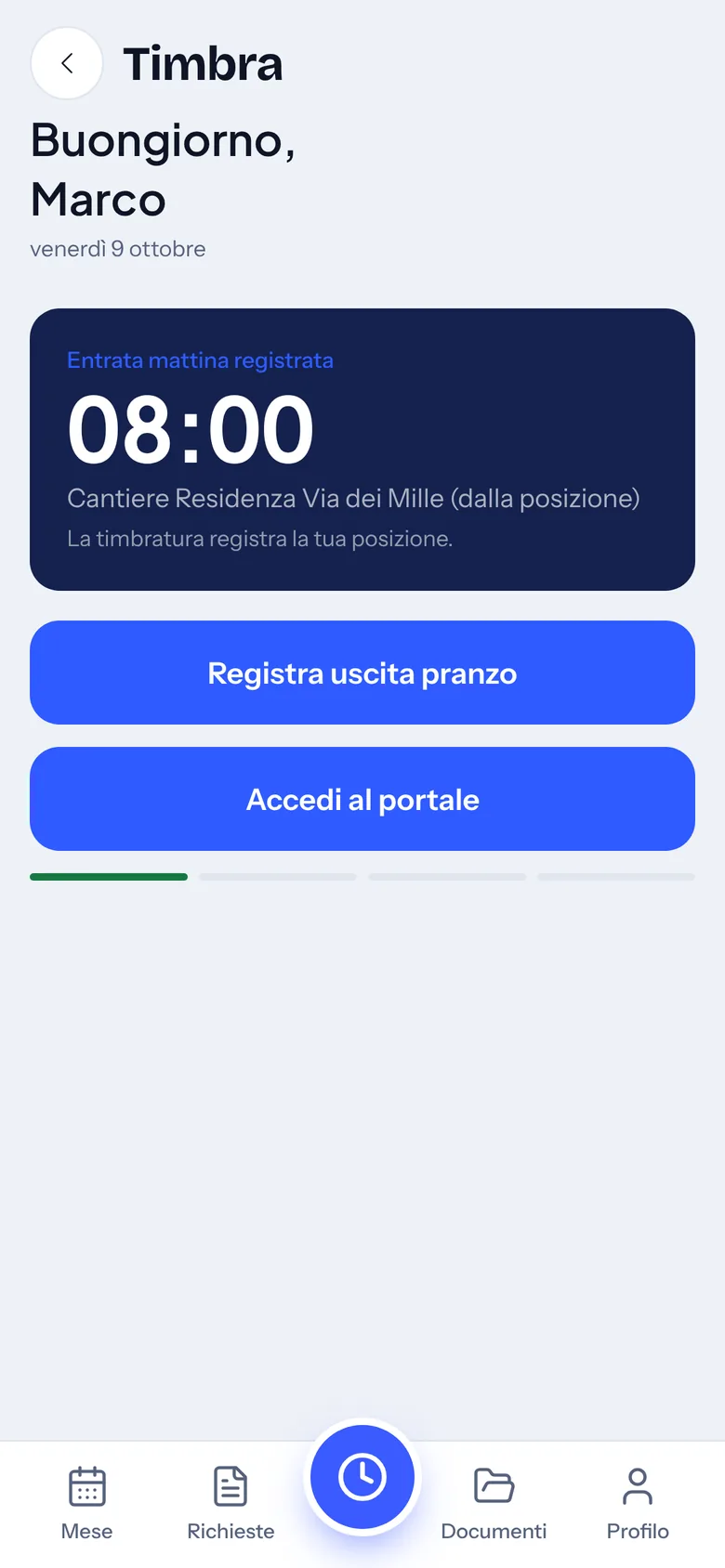
- SmartphoneEntry, break, return and exit from the app, even on the road. It is enabled for a single employee, for some or for all.
- Company rulesTime rounding with tolerance, overtime threshold, Saturdays counted as overtime, Sundays and public holidays kept separate, automatic time off for missing hours.
- CorrectionsA clocked day can be corrected by the employee: never, freely, or with the office’s approval, which sees the previous and the proposed value.
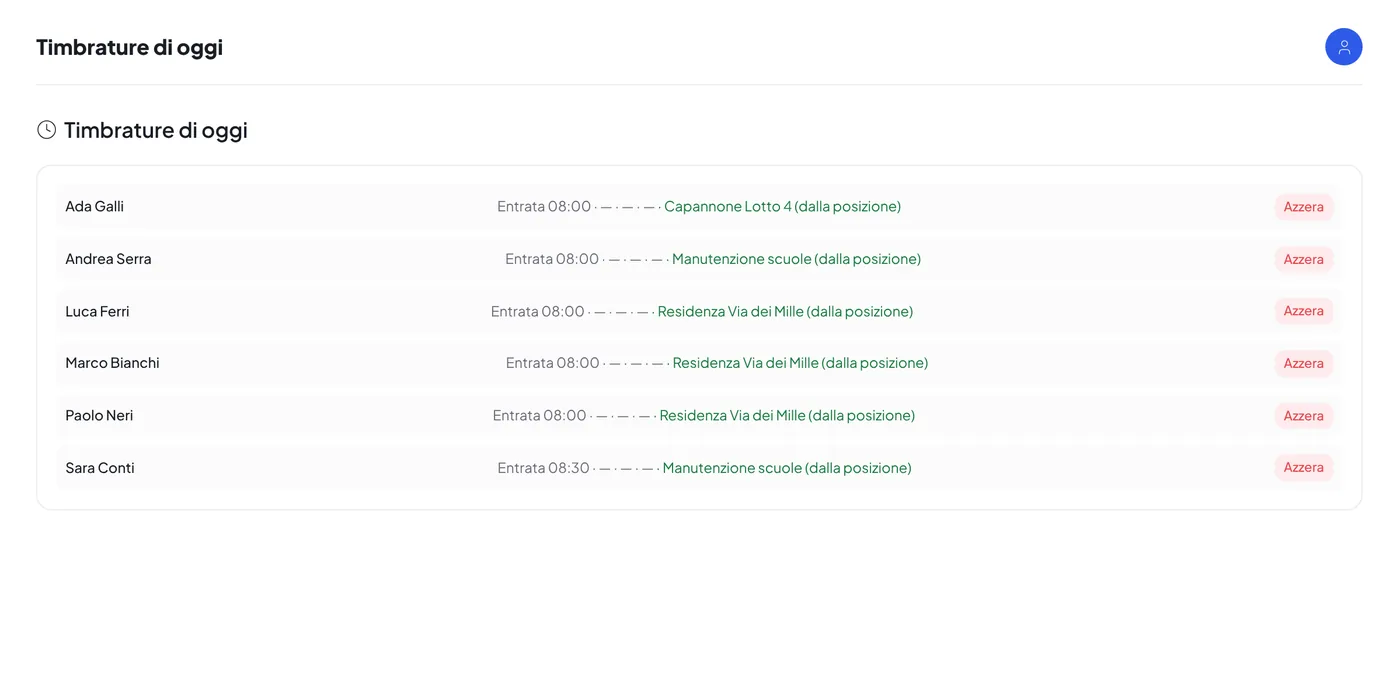
- Today’s clock-insThe office sees in real time who has come in, at what time and at which site, and can reset a day recorded by mistake.
Clock-in location
The site is recognised from the position.
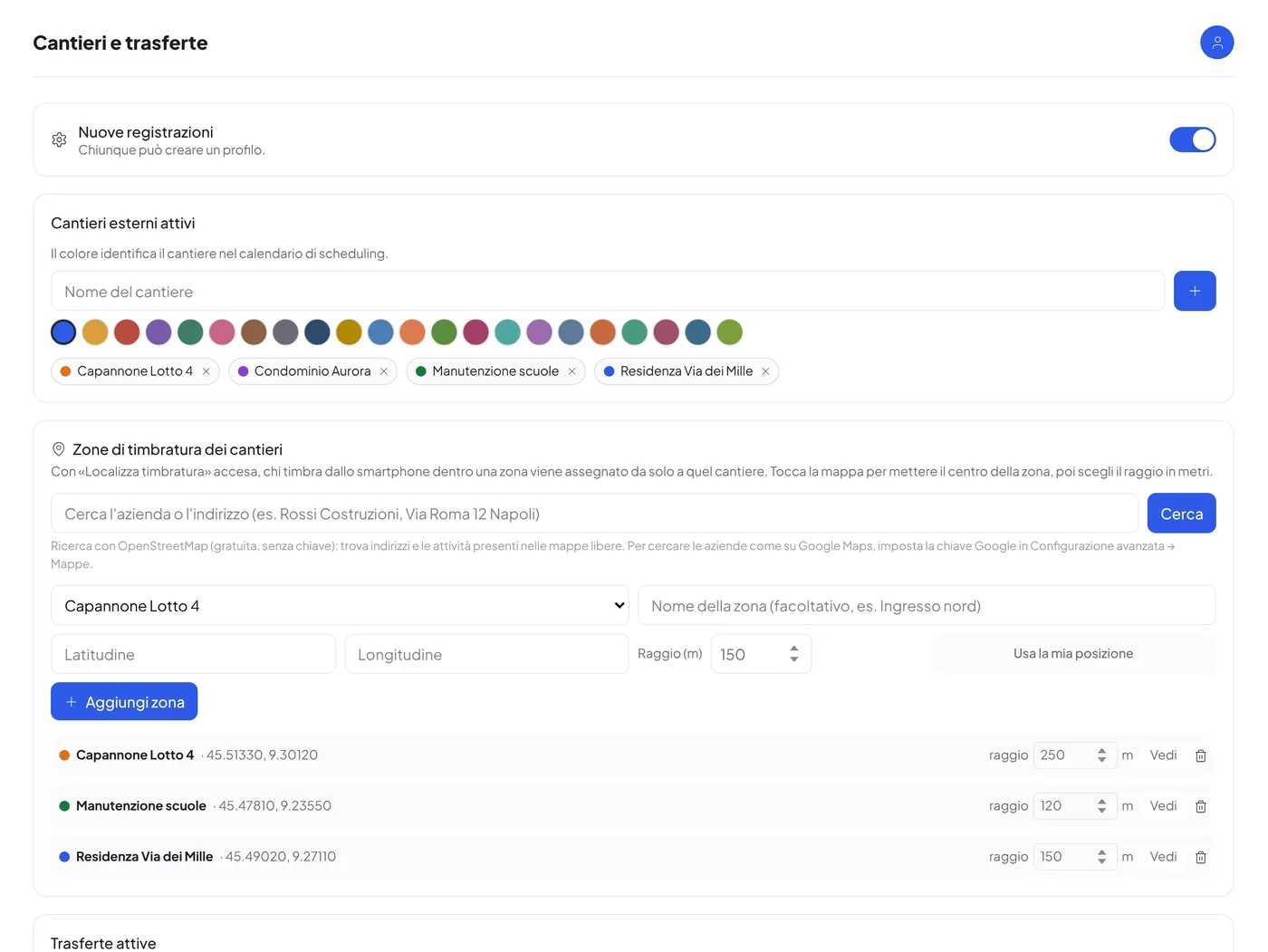
A switchable feature: when it is on, whoever clocks in from the smartphone is automatically assigned to the site they are standing in.
- Site zonesFor each site a zone is drawn on the map, with centre and radius. The address or the company name is searched directly in the map, on Google Maps or OpenStreetMap.
- Automatic assignmentThe first clock-in of the day that falls within a zone decides the site; the day’s hours are assigned accordingly.
- Optional or mandatory positionBy default a clock-in without position is still recorded and flagged; in mandatory mode it is refused until the phone provides it.
- View clock-insFor each employee, the map of clock-ins over a period with details on click: time, accuracy and recognised site.
Hours, absences and payroll
From the hours register to the payslip.
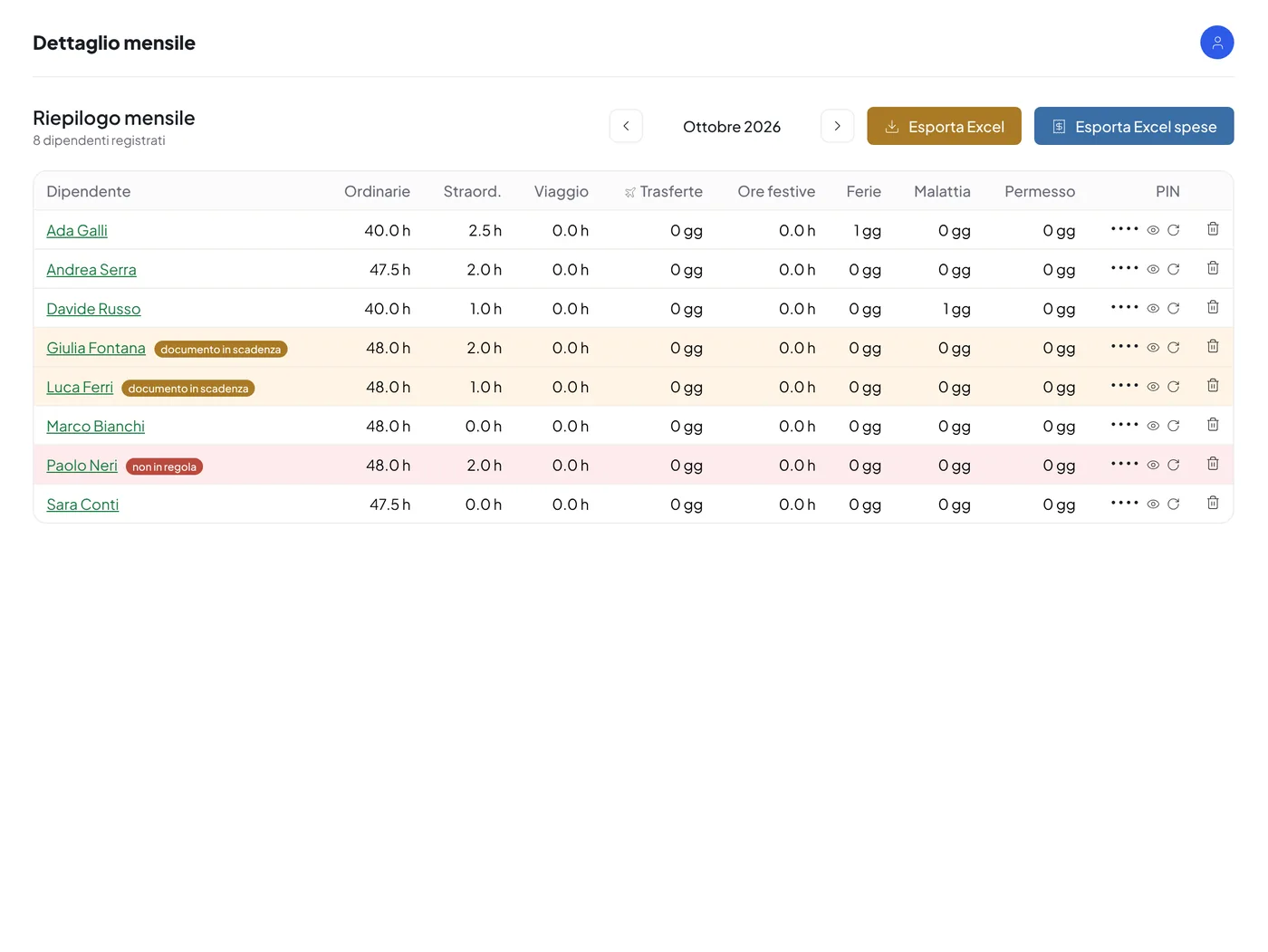
Ordinary and overtime hours, absences and approved expenses add up by themselves, employee by employee. At month end the summary is ready for the payroll accountant.
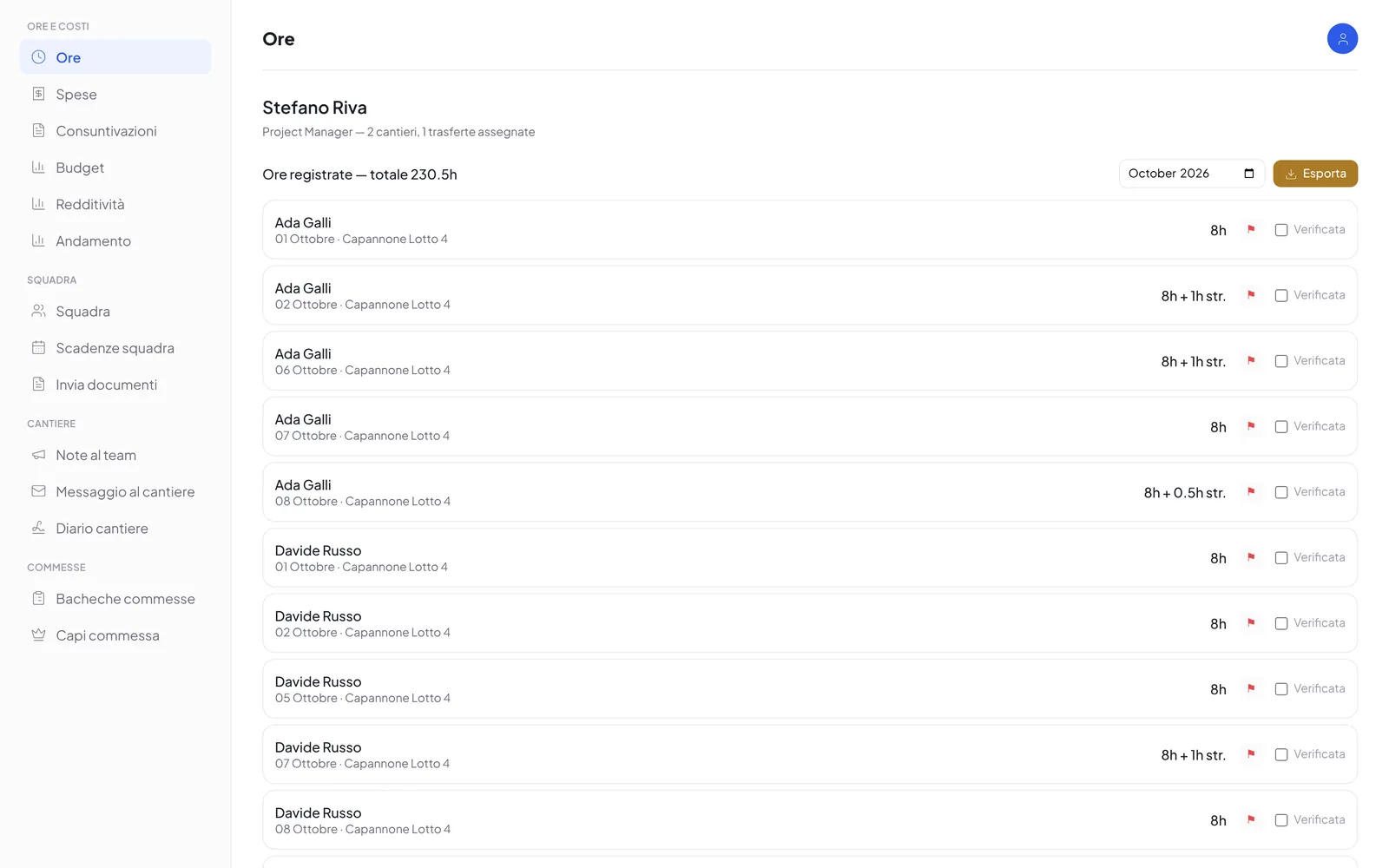
- Hours registerOrdinary and overtime hours per day, with site, business trip or job. In two modes: the four times of the day, with automatic calculation, or the totals.
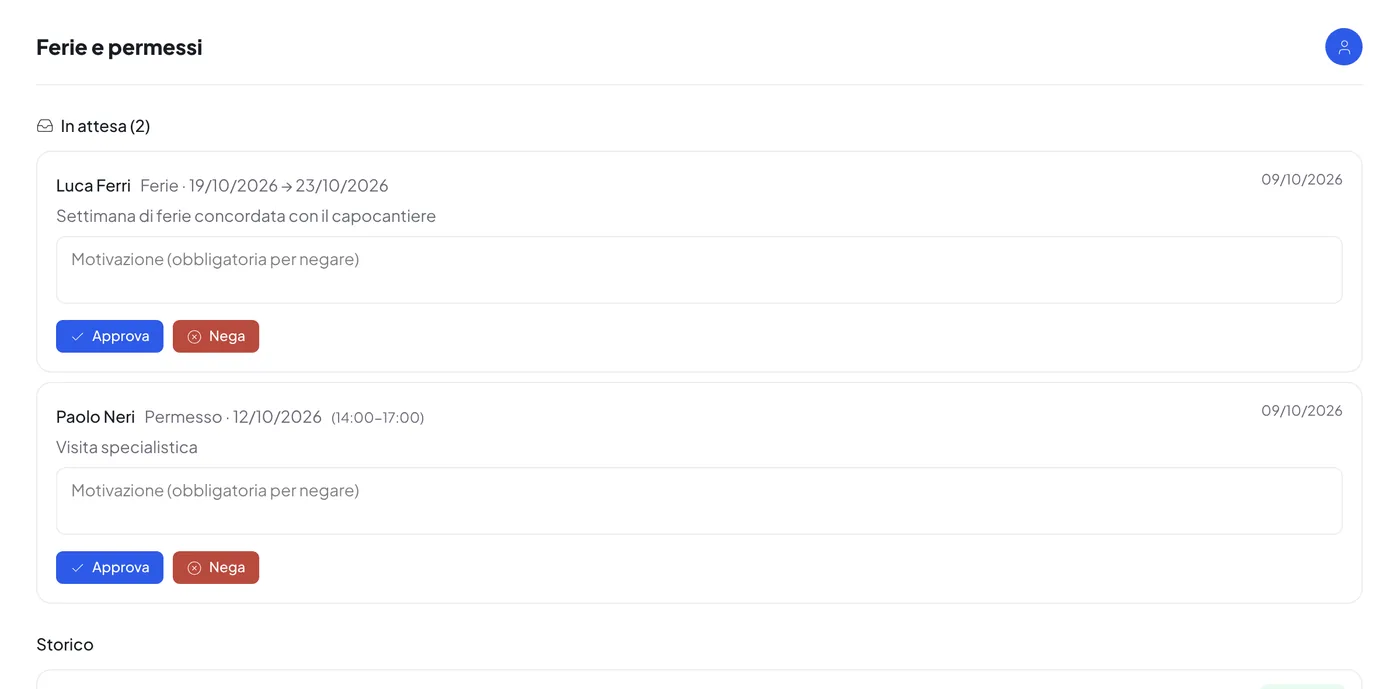
- Leave, time off and sick leaveRequests start from the app, the office approves or rejects them with a reason and the employee receives the answer with a notification. Approved leave also updates the scheduling.
- Monthly detail and statisticsThe overview of all employees per month, with ordinary hours, overtime, absences and business trips; statistics per employee and per site, with Excel export.
- Summary for the accountantA monthly Excel file with hours and absences of the whole staff, in the format useful for payroll processing. It can be emailed automatically every month.
- Payslips sortedThe accountant’s single PDF is uploaded once: CoreJob recognises each employee page by page and delivers each person their payslip, with a notification.
- Hours report per employeeEvery month the hours report of each employee is generated and filed, also in their CoreCloud folder.
Sites, business trips and cost statements
Every hour and every expense to its site.
Jobs are organised by sites and business trips, with the people working on them and the costs accruing day by day.
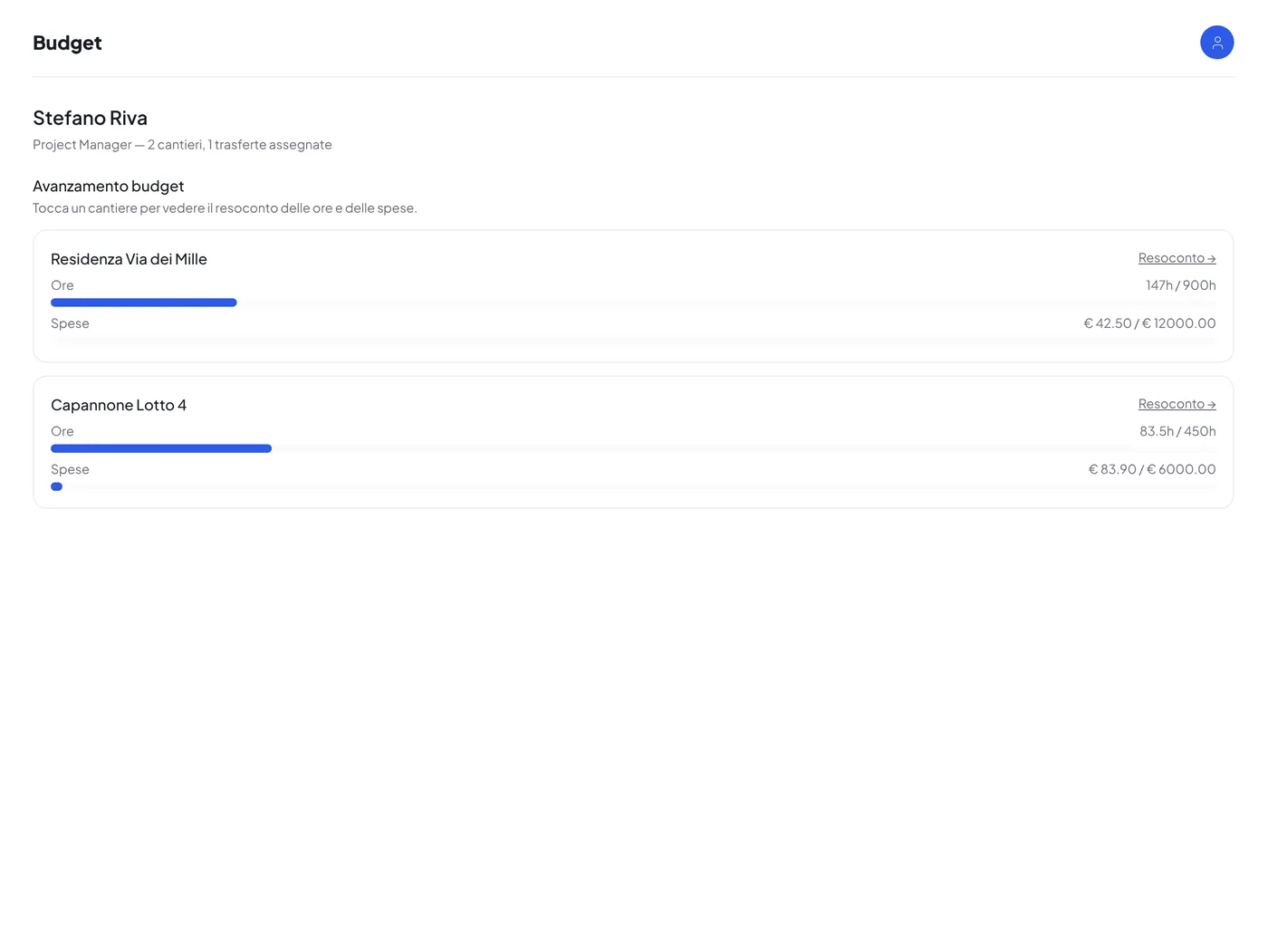
- SitesRegister with colour, hour and expense budgets and always up-to-date progress; jobs to split the hours of a single day.
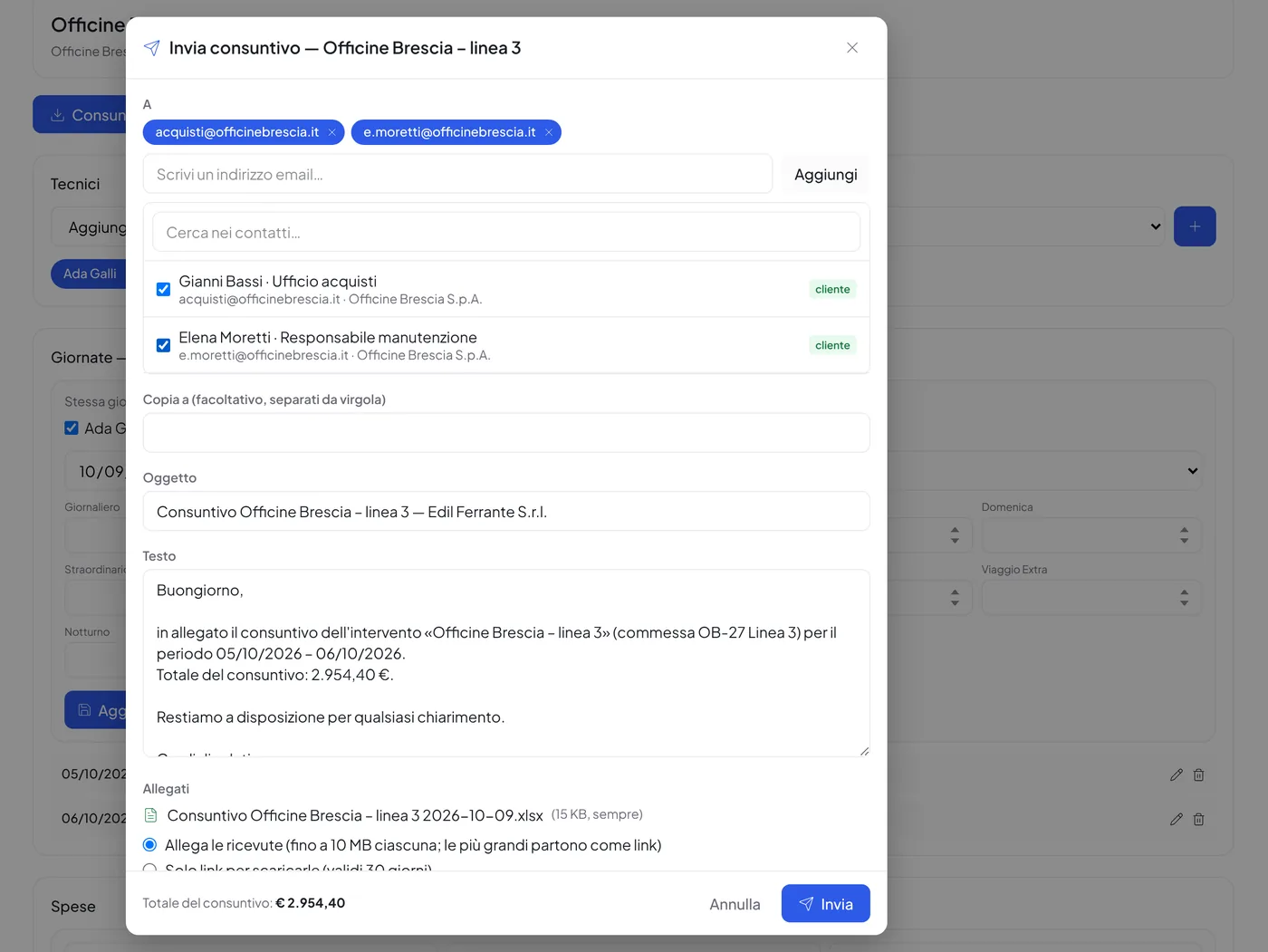
- Business trips and cost statementsFor each trip, technicians, days, hours and expenses with receipts; the days of several technicians are filled in together. The cost statement for the customer comes out in Excel with your logo and colours and is sent by email, with the receipts attached or reachable via a link.
- Costs and supplyFixed and one-off company costs compared; suppliers’ item price list with price comparison.
- Site diaryEach day’s notes with photos and attachments, also filed in CoreCloud.
Jobs and boards
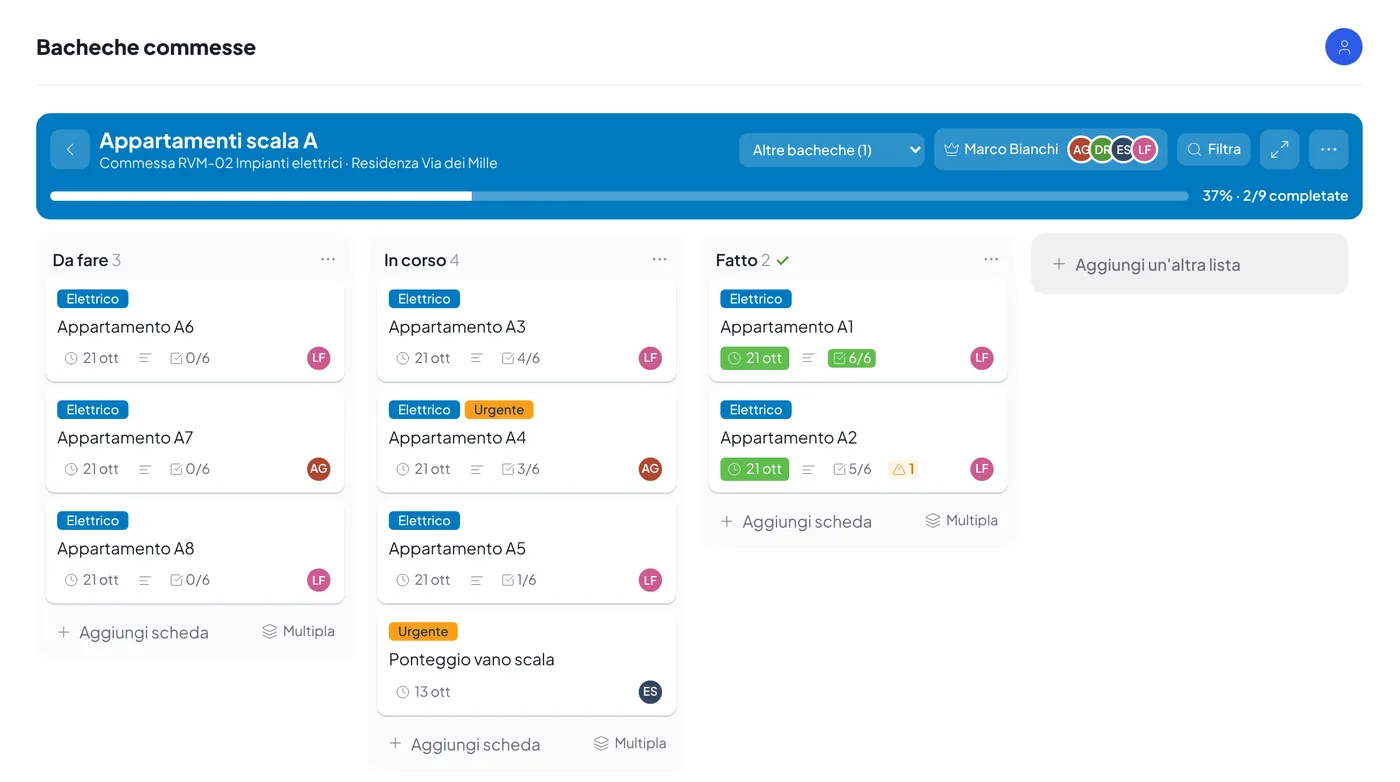
Every job has its board.
As in Trello, but inside CoreJob: lists, cards and checklists organise the work of a job, with the crew, the job leaders and the suppliers. Everyone sees and ticks off what is assigned to them, from the computer or the phone.
- Lists, cards and checklistsCards with a due date, labels, assigned people, checklists, comments and attachments; they are moved by dragging, also with a finger. You decide the starting lists of every board.
- Job leaders and crewA permanent job leader or one for a period, with replacements; crew members and portal suppliers work on the cards assigned to them and receive a notice.
- Checked completionWhoever closes a card with an incomplete checklist must write the reason: it stays in the card together with the missing items.
- Many cards at onceTen machines to install? A template card and the list of names: the cards are created all together, with checklists and assignments. Any card can also be duplicated.
- Job Excel fileThe progress of all the boards of a job in an Excel file to send to the customer, with your colours.
- Connection with TrelloA board is connected to Trello and stays aligned both ways: lists, cards, checklists, labels, comments and attachments.
Scheduling
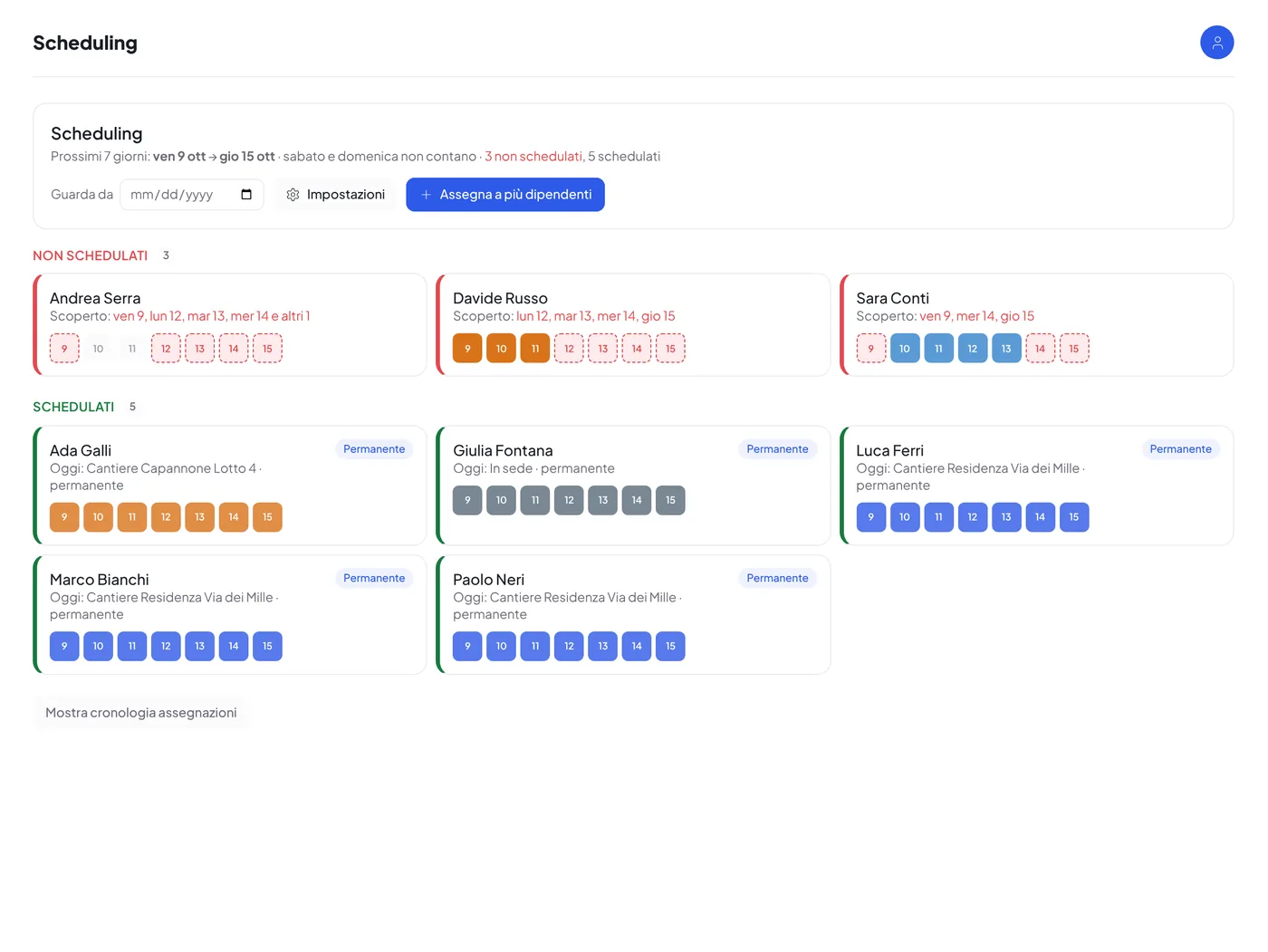
Who goes where, day by day.
The office sees who is covered in the coming days and who is not, and assigns sites, business trips or the head office with a few clicks.
- Scheduled and unscheduledFor the chosen window (seven days by default) employees are divided into covered, uncovered and absent; anyone uncovered even for a single day is at the top.
- Permanent and fixed-period assignmentsAn employee fixed on a site stays assigned until the assignment is ended; a precise period takes precedence over the permanent one; “At head office” is always available.
- Leave and sick leaveAn approved absence interrupts the assignment without deleting it: when the absence ends it resumes by itself.
- On the employee’s phoneEveryone sees where they have to go today and when it changes, with a notification for each new assignment.
Project managers
A reserved area for every manager.
Project managers log in with their own credentials to a panel with the same menu as the office, limited to the sites and business trips assigned to them.
- Budget and profitabilityProgress of hours and expenses for each site, report per employee and per month, costs and revenues.
- Cost statementsBusiness-trip cost statements are created and filled in directly by the project manager.
- The crewDocuments to send to the employees of their own crew, their document deadlines, notes and messages to the site.
- Diary and reportsSite diary with photos and attachments, reports to the office.
Service reports
The technician’s report, signed by the customer.
The technician fills in the report with dates, technicians, hours, description and materials, and has it signed on the spot or remotely.
- Signature on the spotThe customer signs with a finger on the technician’s tablet or phone. The PDF is sent immediately to the specified recipients.
- Remote signatureThe customer receives an email and signs from their computer or phone with CoreDocs. The signed PDF returns to CoreJob by itself.
- LetterheadReport PDFs can use your letterhead as a background, with adjustable margins.
- The client’s formWhen the client wants their own form, the technician fills it in from the app and CoreJob writes the data over the original PDF, with the signatures; if the space is not enough it adds annex pages.
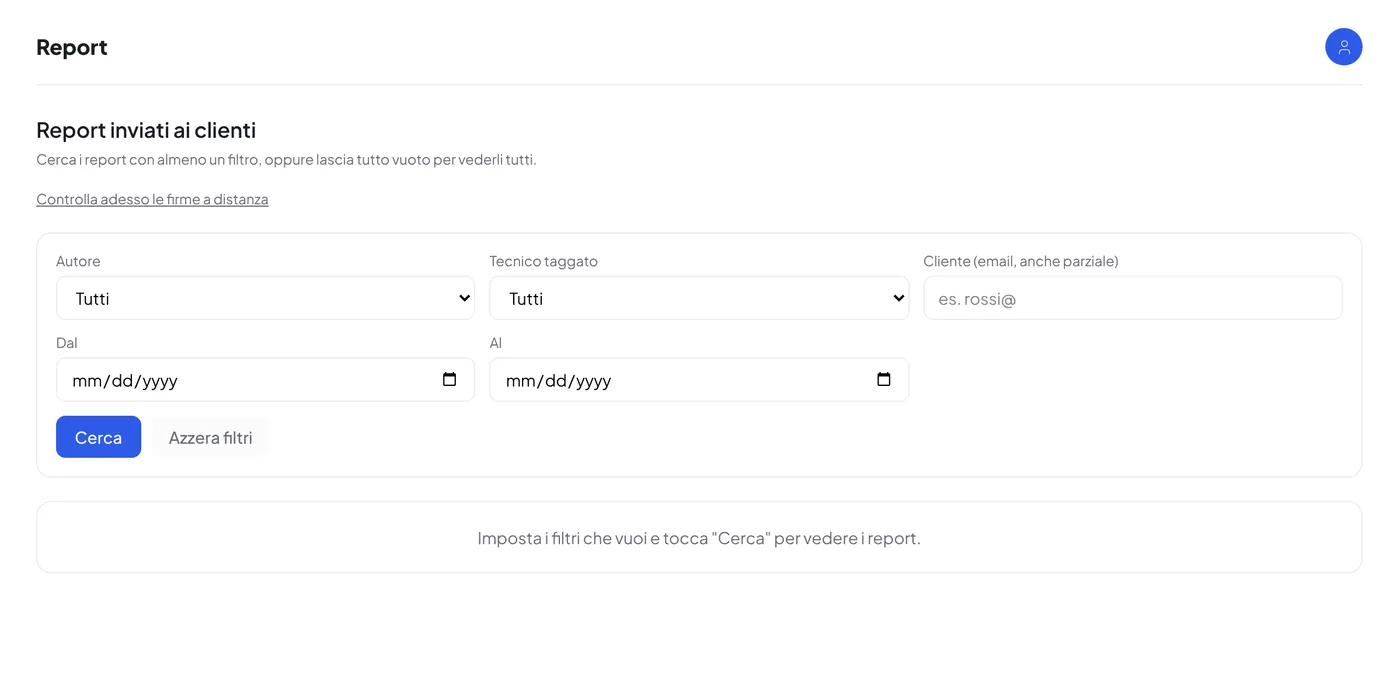
- ArchiveReports stay in CoreJob, searchable by customer and period, and, if you use CoreCloud, also in the technical reports folder.
Documents and deadlines
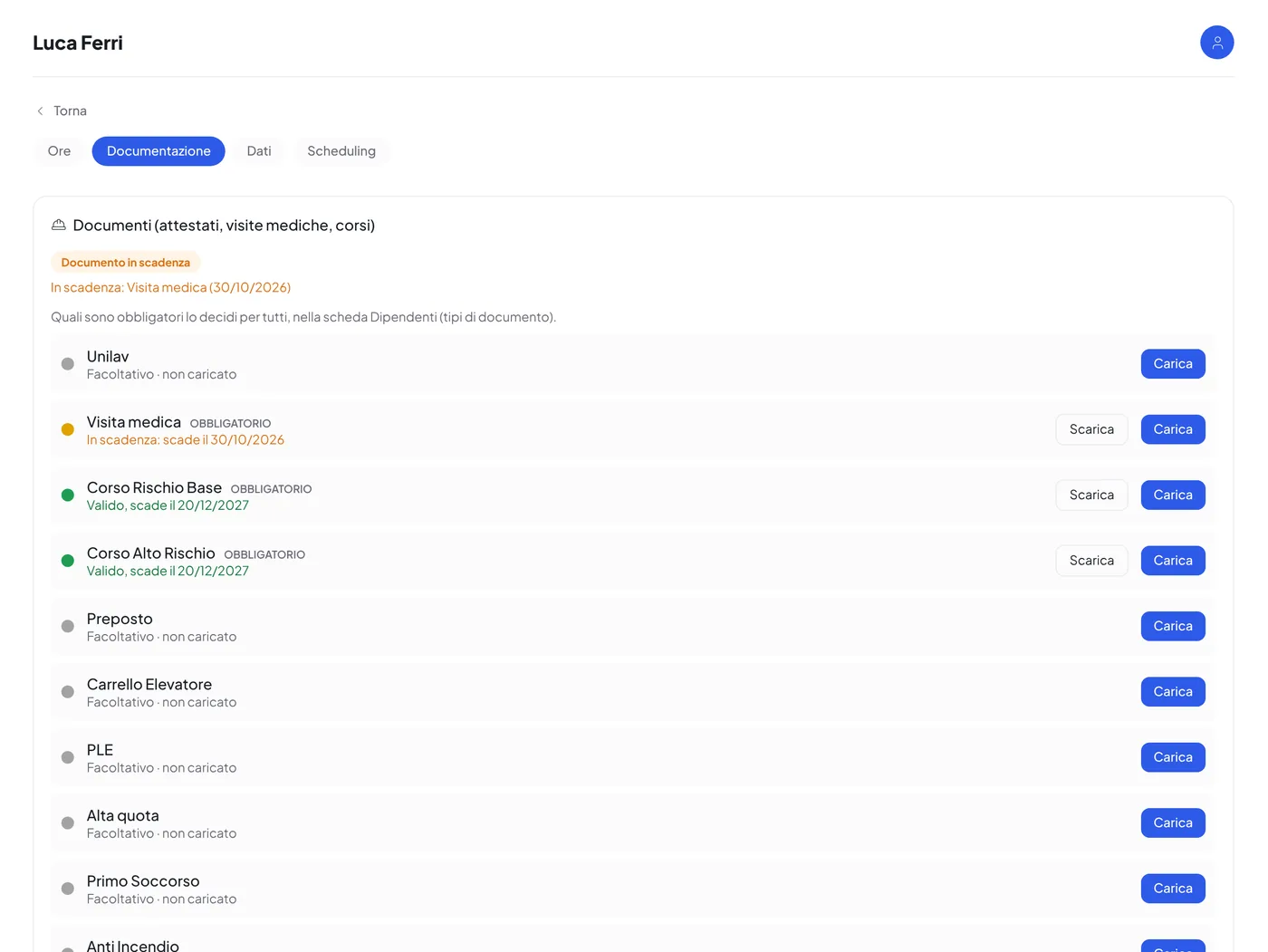
A colour for every document.
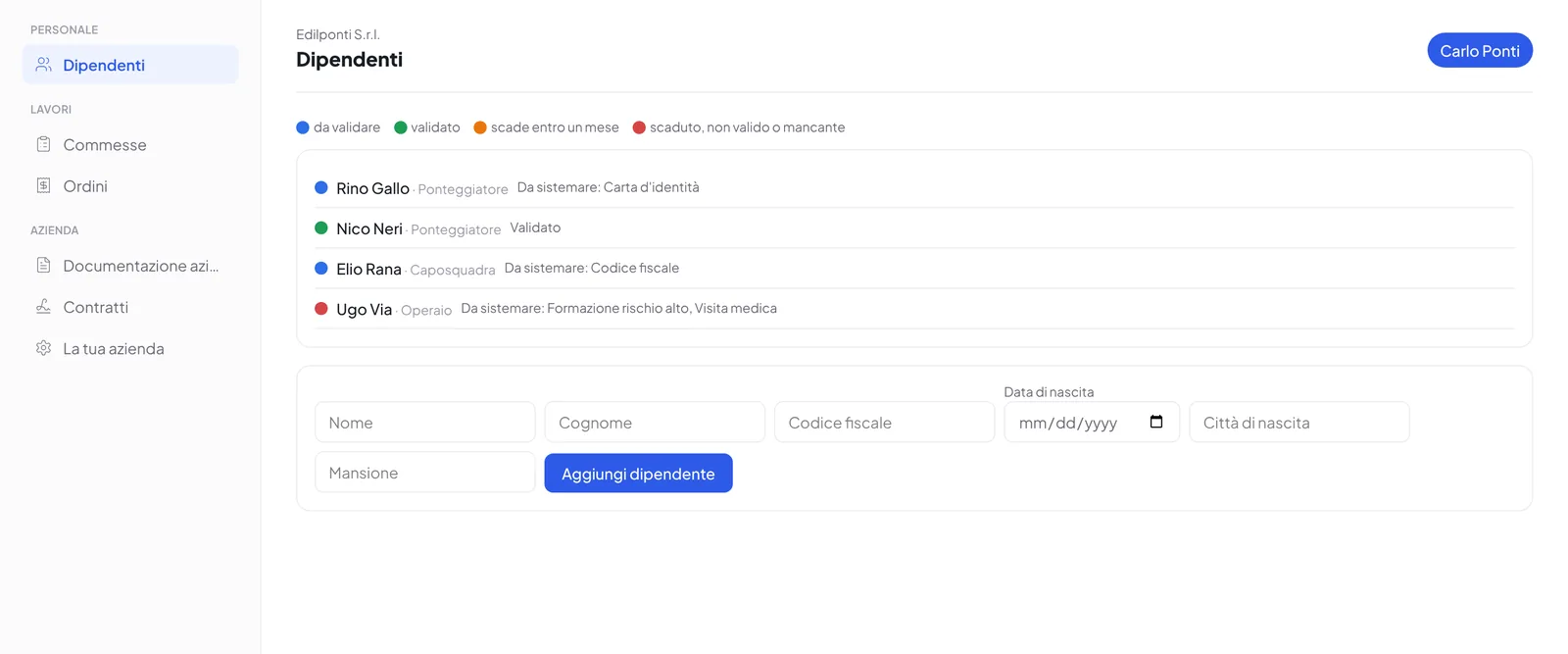
Decide once which documents are mandatory for everyone, with exceptions per employee. In each person’s record you find the list, with upload, expiry and a dot that changes colour by itself.
- Automatic dotsGreen if valid, amber if expiring within thirty days, red if expired or missing. Anyone not in order appears at the top of the employee list.
- Document sortingUpload a PDF with the medical check-ups or certificates of the whole crew: CoreJob proposes whom each page belongs to and the expiry date read from the text. You check and confirm.
- Received documentsEmployees send certificates and documents to the office from the app; the office accepts or rejects them.
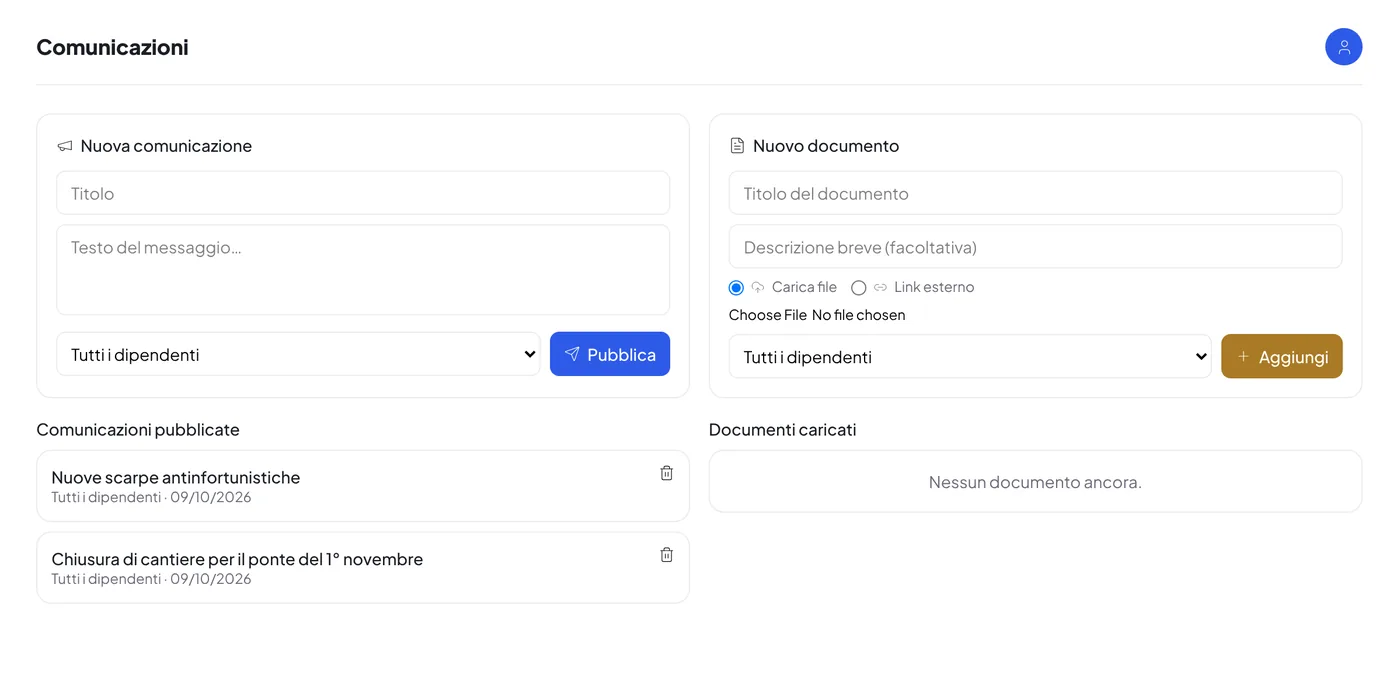
- Documents for staffDocuments and circulars for everyone or for a single employee, with a notification on the phone.
Expenses and reimbursements
The receipt photographed, straightened, approved.
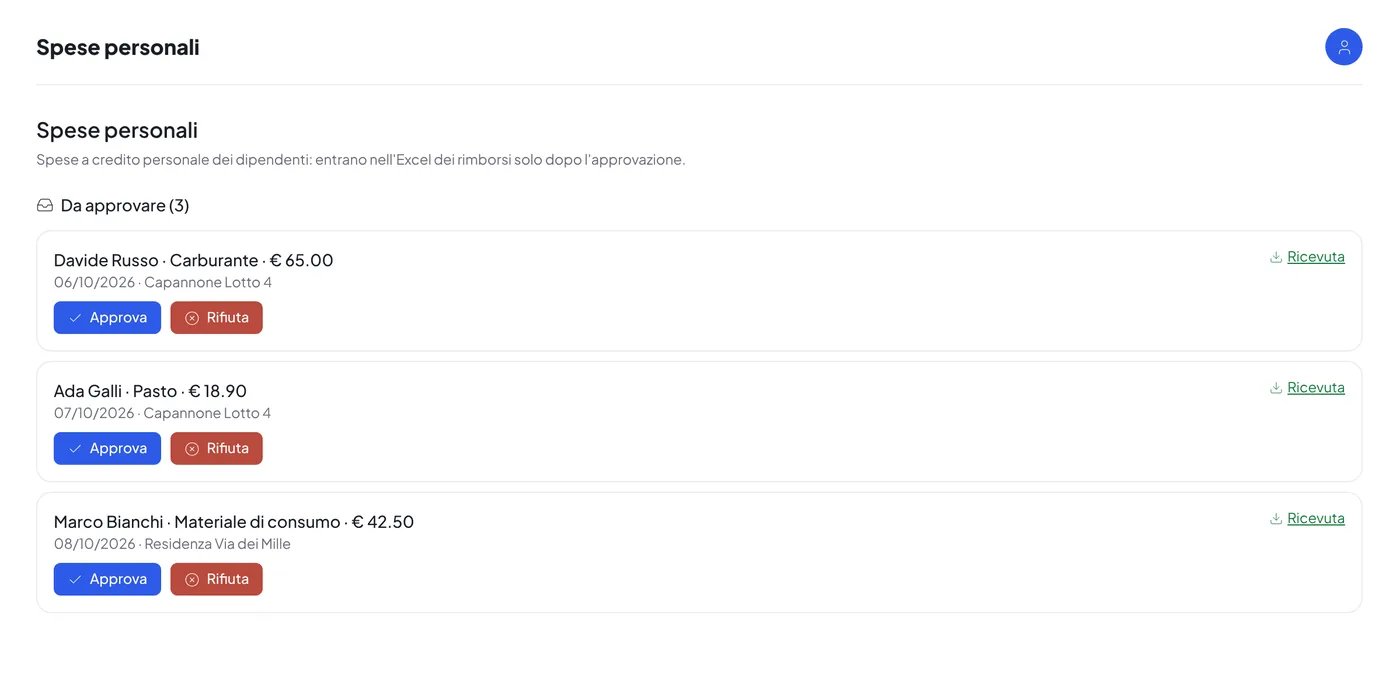
The employee photographs the receipt in the app and indicates expense type and site; the office approves or rejects. Approved expenses end up in the cost statements.
- Built-in scannerThe photo is straightened and cleaned up directly on the phone: edges found automatically, corners adjustable by hand, black-and-white or colour version. PDFs are attached as they are.
- Paid by whomExpenses advanced by the employee, to be reimbursed, or paid with company means; link to a business trip for the cost statement.
- ApprovalThe office sees pending expenses with the receipt, approves or rejects with a reason; the employee receives the outcome.
Warehouse
Items, movements and stock value.
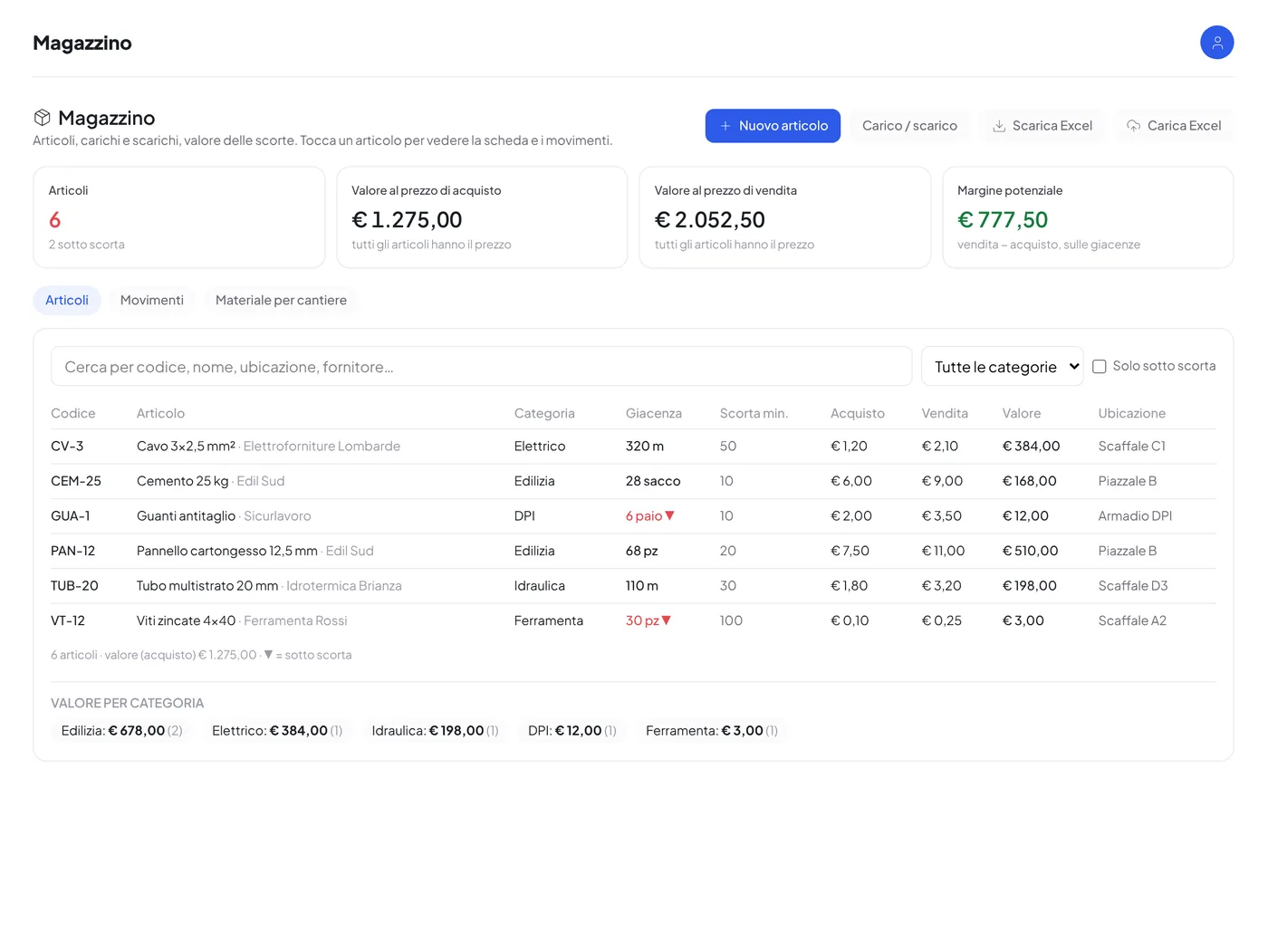
A warehouse that is simple to keep up to date: every goods-in and goods-out is a movement, and the stock is always the sum of the movements.
- ItemsCode, category, unit of measure, minimum stock, location, supplier, purchase and sale price. Items below minimum stock are highlighted.
- MovementsGoods in with price and document reference, goods out to a site, inventory adjustments. A wrong movement is reversed and the stock is recalculated.
- Stock valueValue of stock at purchase and sale price, potential margin, total per category and material issued per site.
- ExcelExport in three sheets (items, summary, movements) and import from a sheet with code and name: first a preview of what would change, then the confirmation.
Supplier portal
Subcontractors upload the documents. You validate them.
A separate page of your CoreJob, with your brand, where third-party companies manage their workers, company documents and contracts on their own.
- WorkersIdentity card, tax code, training, medical check-up, PPE hand-over: a worker is green only when everything has been validated.
- CompanyCompany registration certificate from the last three months, liability insurance, compliance certificate and the complete company details, with the same deadlines and the same dots.
- ContractsDownloaded, signed and re-uploaded, or signed online with CoreDocs with one click on “Sign now”.
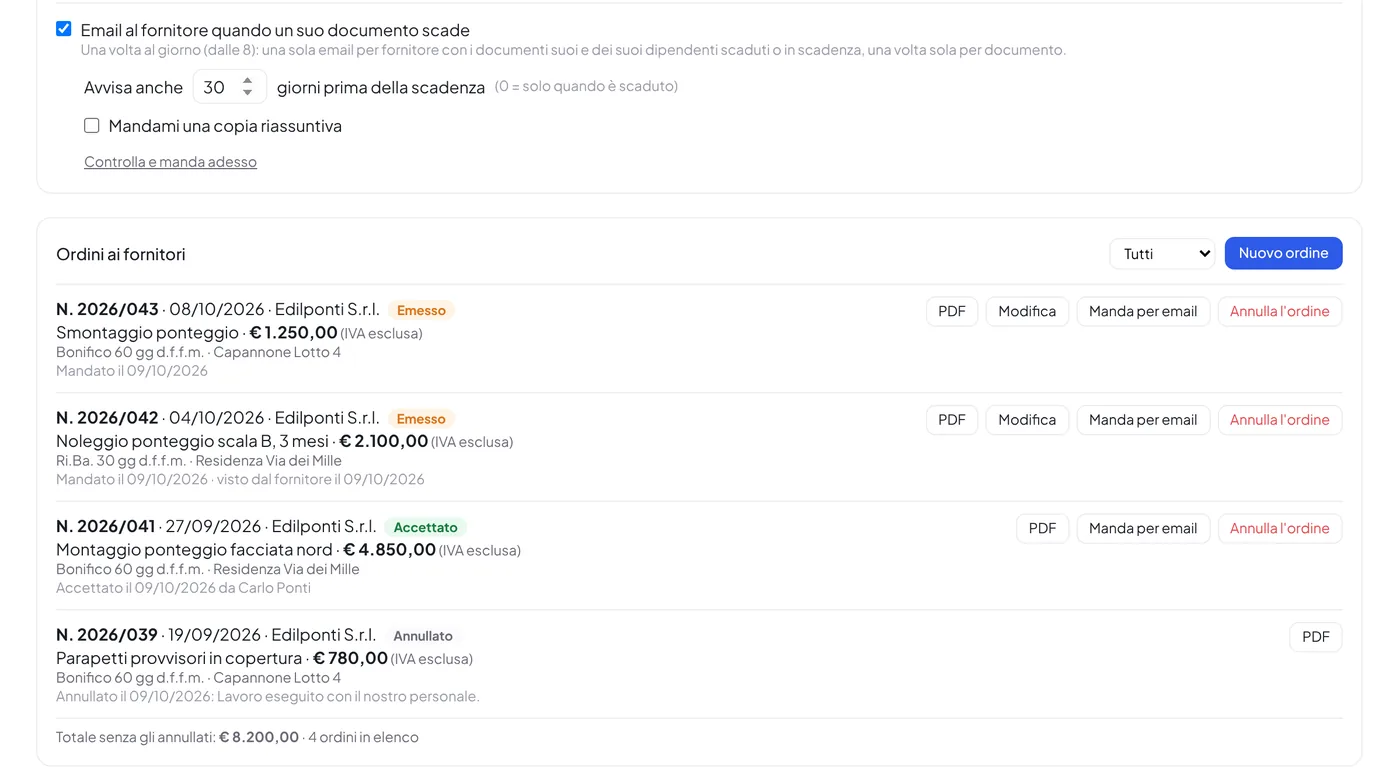
- Work ordersNumber, amount, VAT and payment terms: the supplier receives the order as a PDF by email and accepts it from the portal with one click.
- Deadlines by emailEvery day, each supplier gets one email with their own and their workers’ documents that have expired or are about to, once per document.
Notices, directory and PPE
Everything else that today goes through phone calls and messages.
The information flowing between the office and the crews finds an orderly place, with a notification for whoever has to read it.
- NoticesCompany notice board for everyone or for a single employee, with a notification on the phone; information email to several groups at once.
- DirectoryCustomers, suppliers, project managers and administrative bodies, shared with whoever needs it.
- PPE and workwearSizes, requests and hand-overs of protective equipment and workwear, employee by employee.
AI assistant
An assistant that does only what you allow.
The assistant reads the month’s data and flags anomalies before they reach the accountant. On request it performs operations, but only within the permissions the office has granted.
- AlertsMissing or anomalous hours, unusual expenses, expiring documents: a summary in plain language, ready to read.
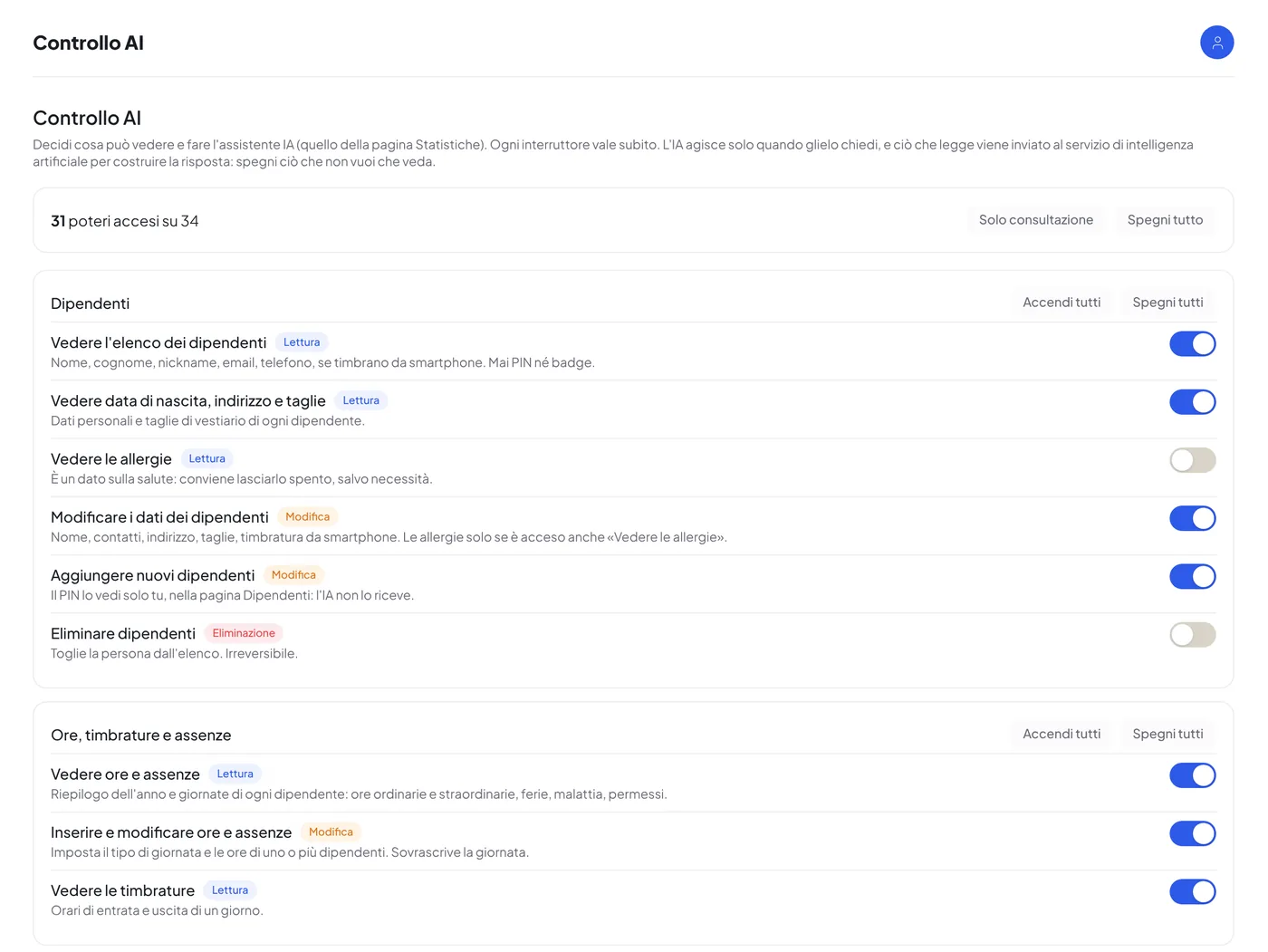
- Explicit permissionsEvery action, from reading records to changing hours, is a separate permission that is switched on or off. Advanced settings always stay out of its reach.
- LogEvery operation carried out by the assistant is logged, with date, request and result.
- Employee importRecords created from a list, from an Excel file or from the payslips PDF, with an editable preview before confirming.
Customisation and administration
Your brand, your rules.
Each installation carries the company’s name and colours, and switches on only the features that are needed.
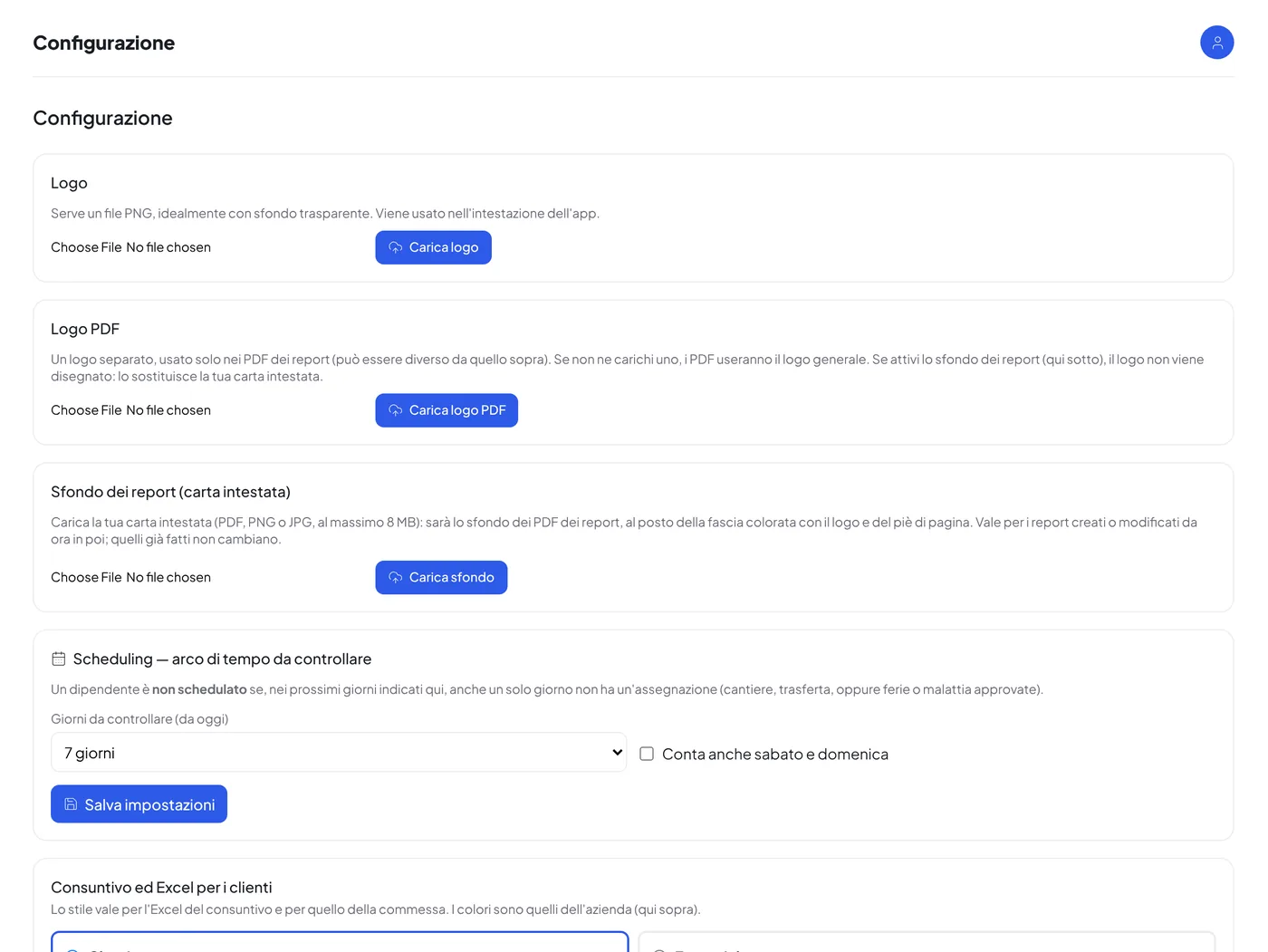
- Logo, colours and themesApp name, logo, colours and themes, including dark and “Pro” ones; menu as a bar, sidebar, drop-down or tiles.
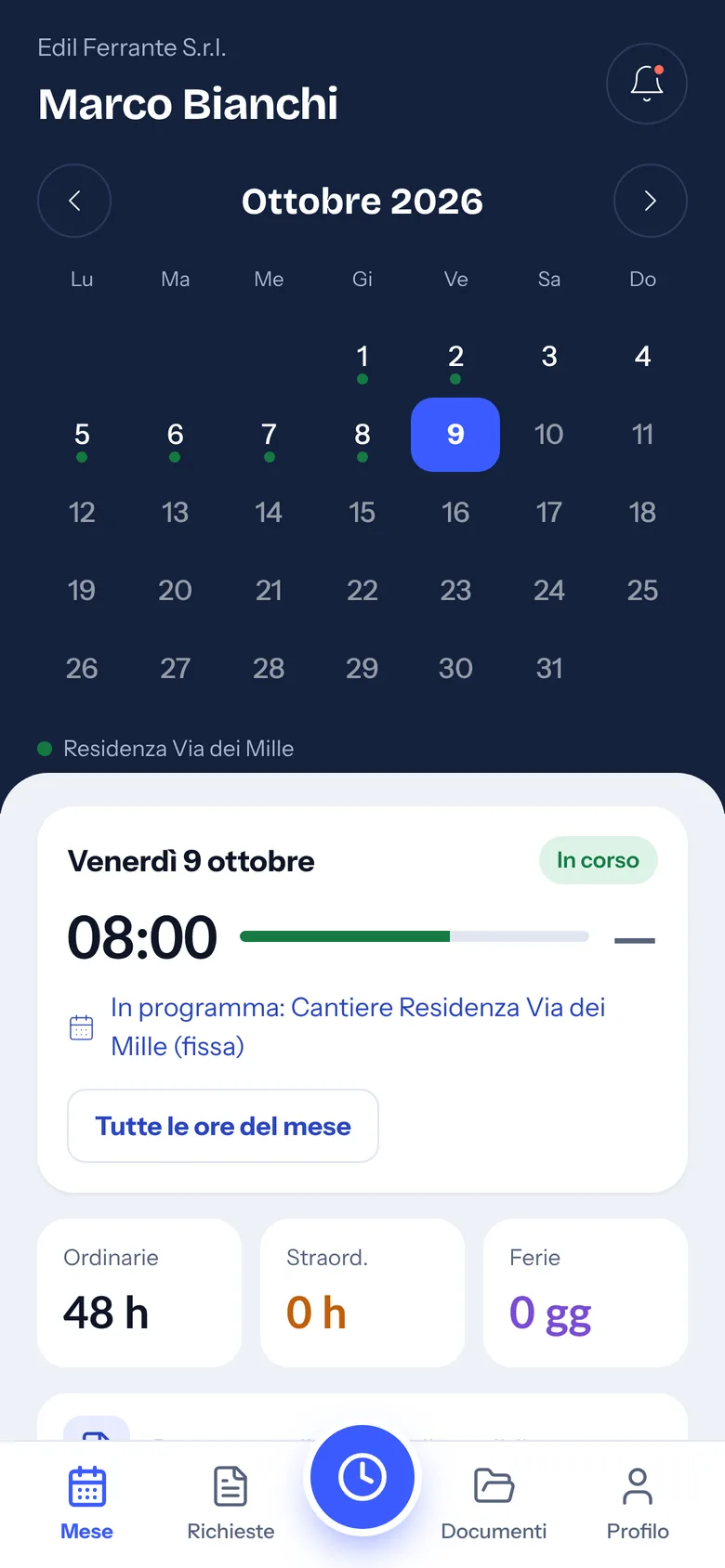
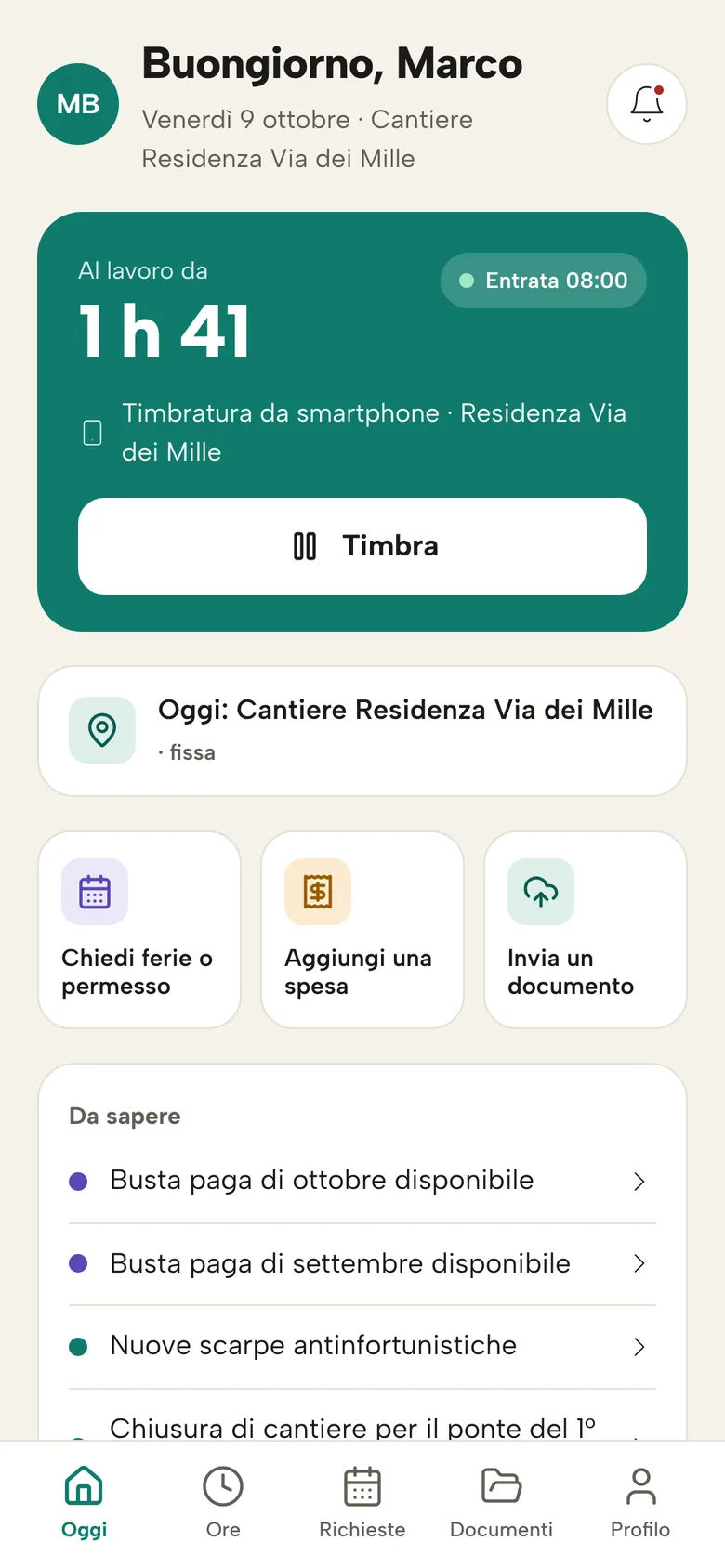
- Employee interfaceThree interfaces to choose from for the phone: classic, “Today” and “Month”.
- Switchable featuresEvery module is switched on or off; the advanced configuration, divided into sections, is protected by a separate password.
- Excel for customersCost statements and jobs in Excel with your logo and colours, in two styles: classic or essential.
- Automatic emailsThe texts of the emails sent by the system (requests, approvals, documents) are edited from the panel; the monthly report can be sent automatically.
- Backup and restoreFull backup downloadable as a file; with CoreCloud, automatic off-server backups.
App and installation
On your server, on their phone.
CoreJob is installed on a server dedicated to your company and is used from computers, tablets and smartphones.
- Dedicated installationOne installation per company, reachable at your address over HTTPS; updates without touching the data.
- iPhone and Android appPublished on the stores with your company’s name and logo, with push notifications and a splash screen with your logo; alternatively the app from the browser, added to the home screen.
- Recoverable accessForgotten PIN or password: a six-digit code arrives by email and is valid for fifteen minutes. Those without an email ask the office.
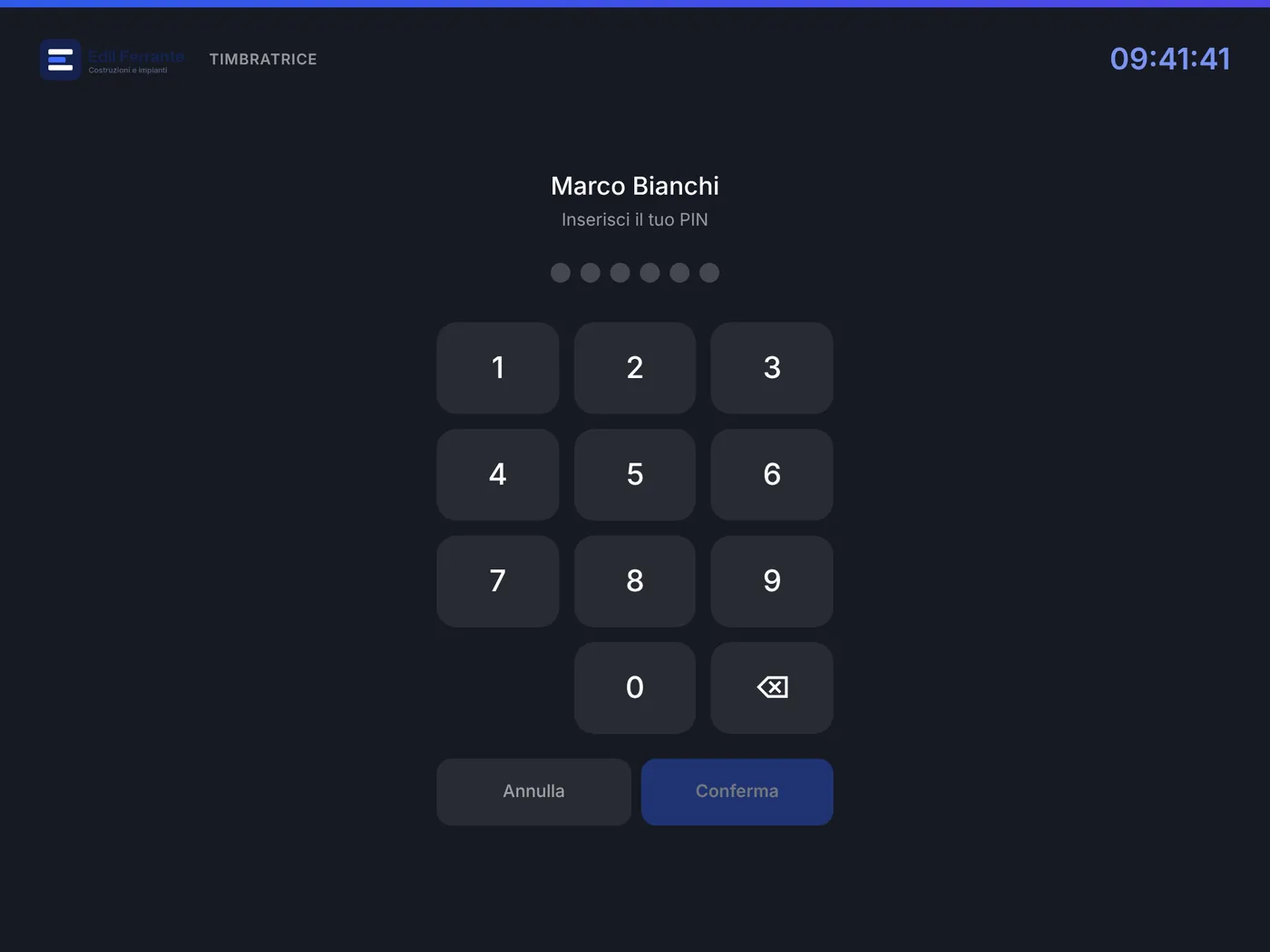
- Clocking terminalA tablet at the entrance, with face recognition, badge or name and PIN; it also works with a computer equipped with a camera.
- Supplier portalA separate page, with your brand, reachable by third-party companies.
Book a demo based on your own sites.
Thirty minutes on your real cases: crews, sites, business trips and documents. We reply within one working day.
- Emailinfo@corejob.it
- Phone+39 347 808 7739