CoreDocs
Send a PDF. Get it back signed.
CoreDocs collects signatures on your documents remotely: contracts, service reports, forms. The signer does not have to install anything: the link received by email is enough. And before the signature, the document is prepared here: written, also with AI, and edited.
How it works
Four steps, from the PDF to the signed document.
- Upload the PDFThe document to be signed, as it is.
- Add the signersName and email; for the strong signature, the mobile number too.
- Mark where to signDrag the signature boxes to the right spot on each page.
- Receive the signed documentWith the final signatures page and the log of every step.
Signature levels
Choose how secure each signature must be.
For each request you decide the level: from the personal link by email up to the code sent by SMS.
| Simple | Secure | Strong | |
|---|---|---|---|
| Personal link by email | Yes | Yes | Yes |
| Login with their own account | No | Yes | Yes |
| SMS code on the mobile phone | No | No | Yes |
| Log of openings and signatures in the final PDF | Yes | Yes | Yes |
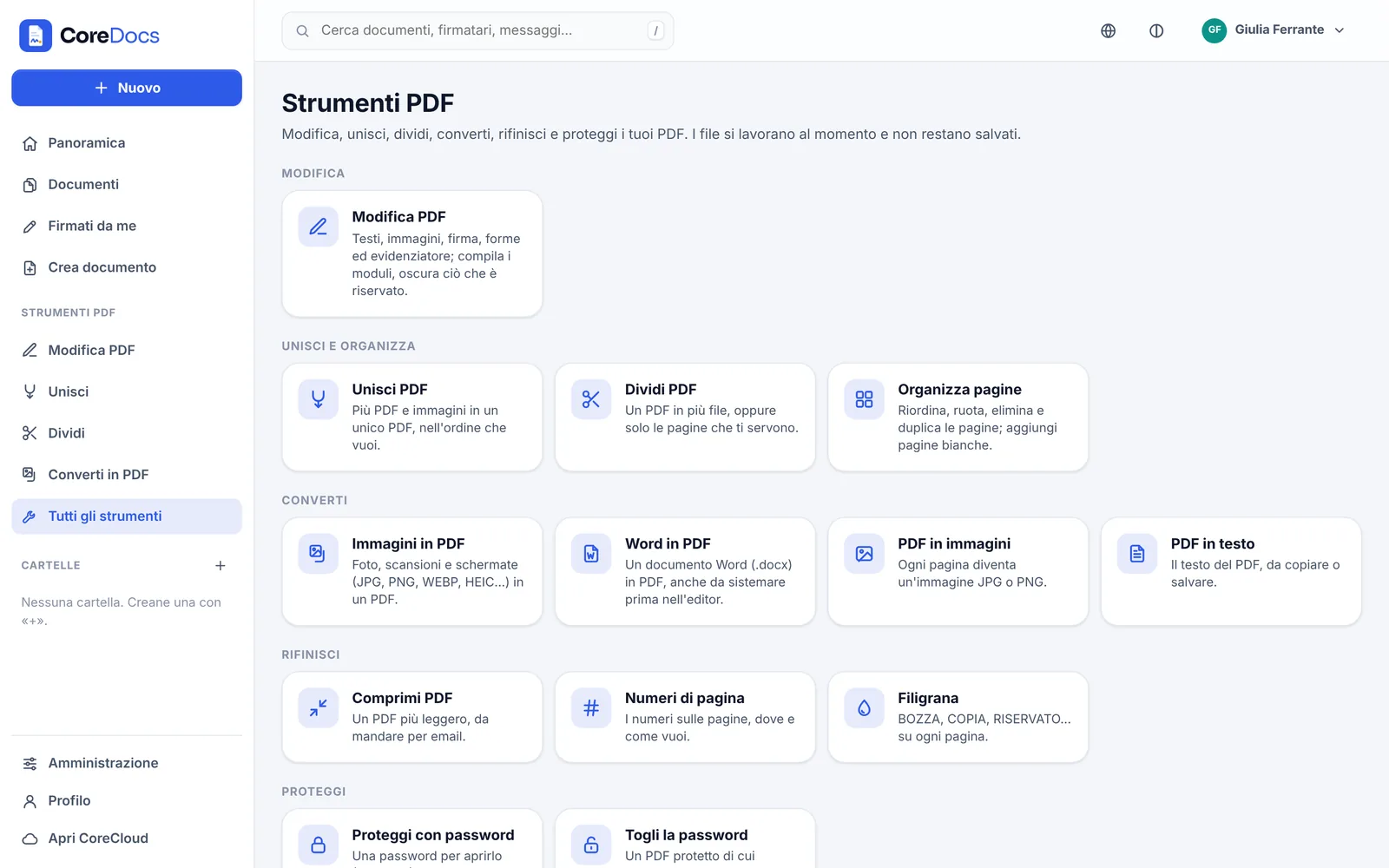
PDF tools
Everything PDFs need, without other programs.
The tools work on your installation’s server; the result is downloaded, sent for signature or saved in CoreCloud.
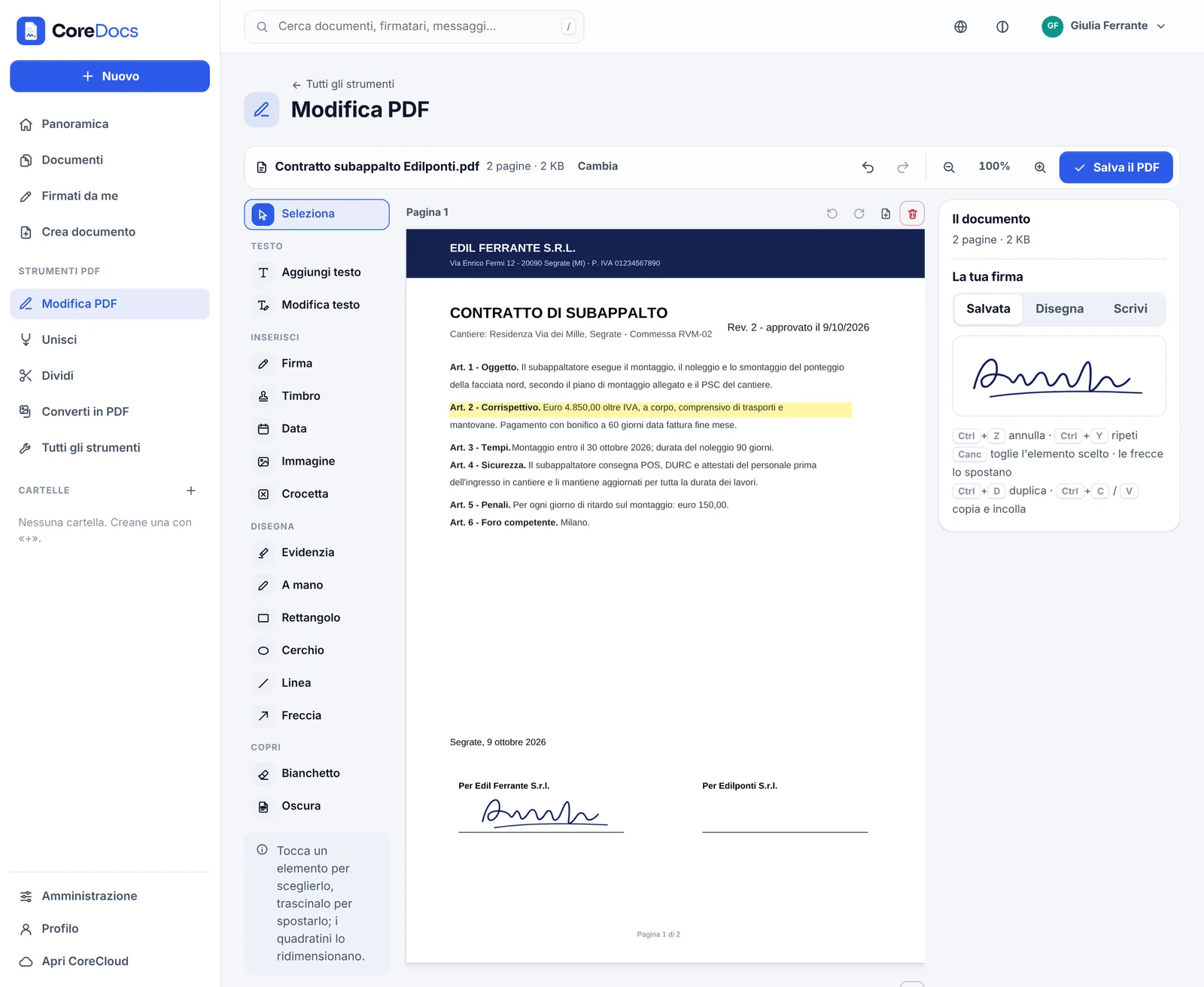
- Edit PDFNew text or text replacing the existing one, images, signature and stamp, shapes, highlighter, white-out, true redaction and form filling; pages to rotate, move or remove.
- Merge, split, organiseSeveral PDFs and images in one, a PDF in several parts, pages reordered by dragging.
- ConvertImages to PDF, PDF to images or text, Word to PDF.
- Compress, number, watermarkLighter PDFs without losing quality, page numbers and watermarks with a preview.
- Protect with a passwordAES-256 encryption and permissions (print, copy, edit); when it is no longer needed, the password is removed.
Create document
The document to be signed, written here. Also with AI.
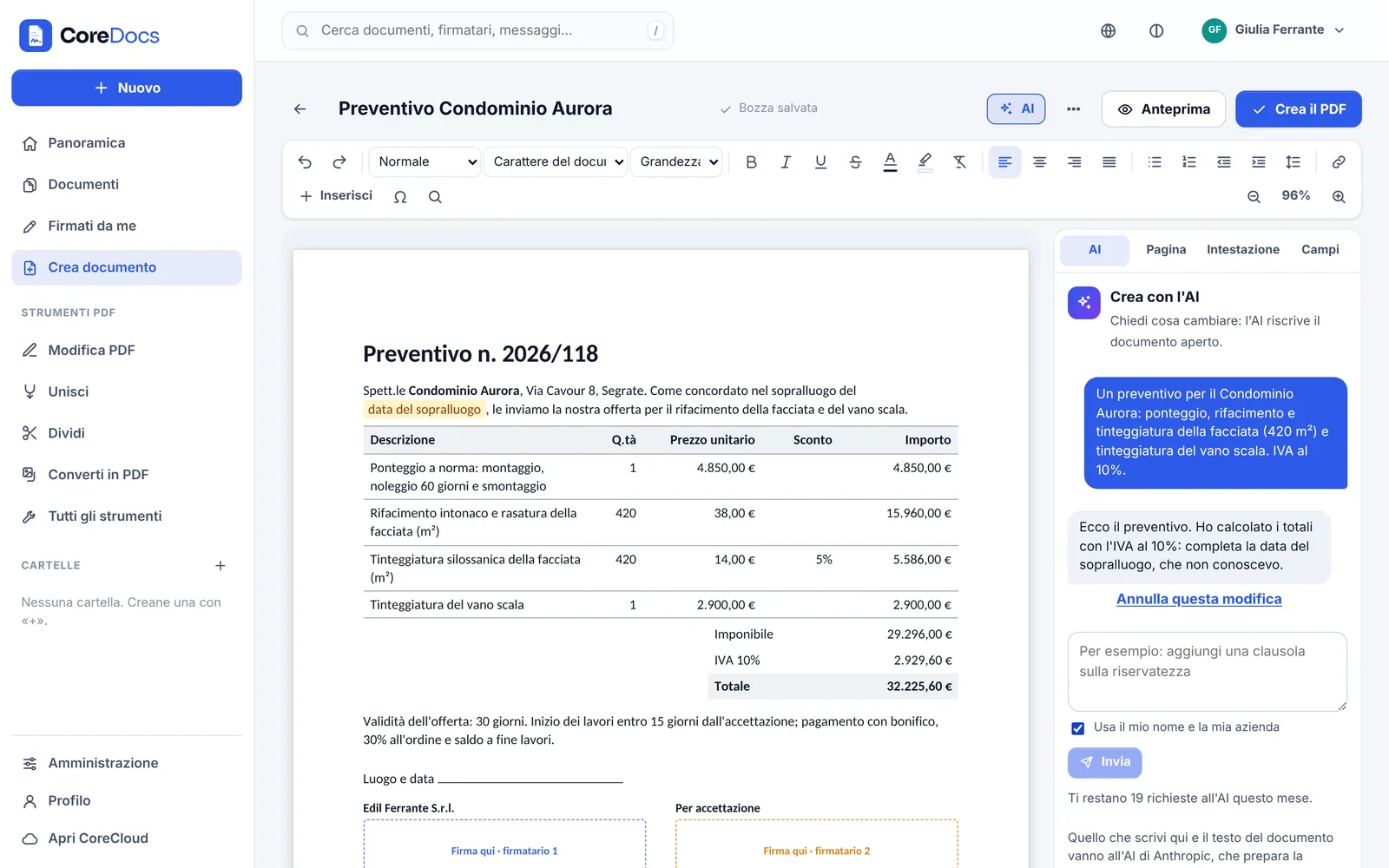
An editor that lays out the page like the PDF it produces: letters, quotes, contracts and minutes ready for signature.
- Complete editorHeadings, lists, tables, images, header and footer, table of contents: what you see is the PDF that comes out.
- Templates and draftsLetter, quote, contract, report and your own templates; drafts save themselves.
- “Sign here” boxesThe signatures placed in the document become the fields of Request signatures, already in place.
- Eleven fontsBesides the classics, fonts with the metrics of Calibri and Cambria: a Word file opens and wraps its lines as it does in Word.
- Create with AIWrite what you need and the AI prepares the document on the page, with the quote totals calculated; then ask for changes. Data it does not know become fields to fill in and every step can be undone. The administrator switches it on: the AI receives only what you write and the open document.
Features
Everything you need to collect signatures.
Drawn or typed signature
The signer signs with a finger or the mouse, or types their name. They can also refuse, stating the reason.
Saved signature and stamp
Your signature and the company stamp are saved once and reused.
Reminders and deadlines
A reminder to those who have not signed yet and a deadline for each request.
Signature log
In the final PDF, a page with who opened and signed, when and at which level.
Copies in CoreCloud
Documents sent and signed are filed automatically in the CoreDocs folders in CoreCloud.
SMS code
For the strong signature the signer receives a code on their mobile phone to enter before signing.
Email signature
Each account has its own signature at the bottom of the emails it sends, also in HTML with the logo.
Three languages
Pages, emails and PDFs in Italian, English and Spanish: every signer receives their own language.
Desktop and mobile apps
CoreDocs outside the browser too.
The apps open PDFs even without an account; to sign, request signatures and edit, just sign in.
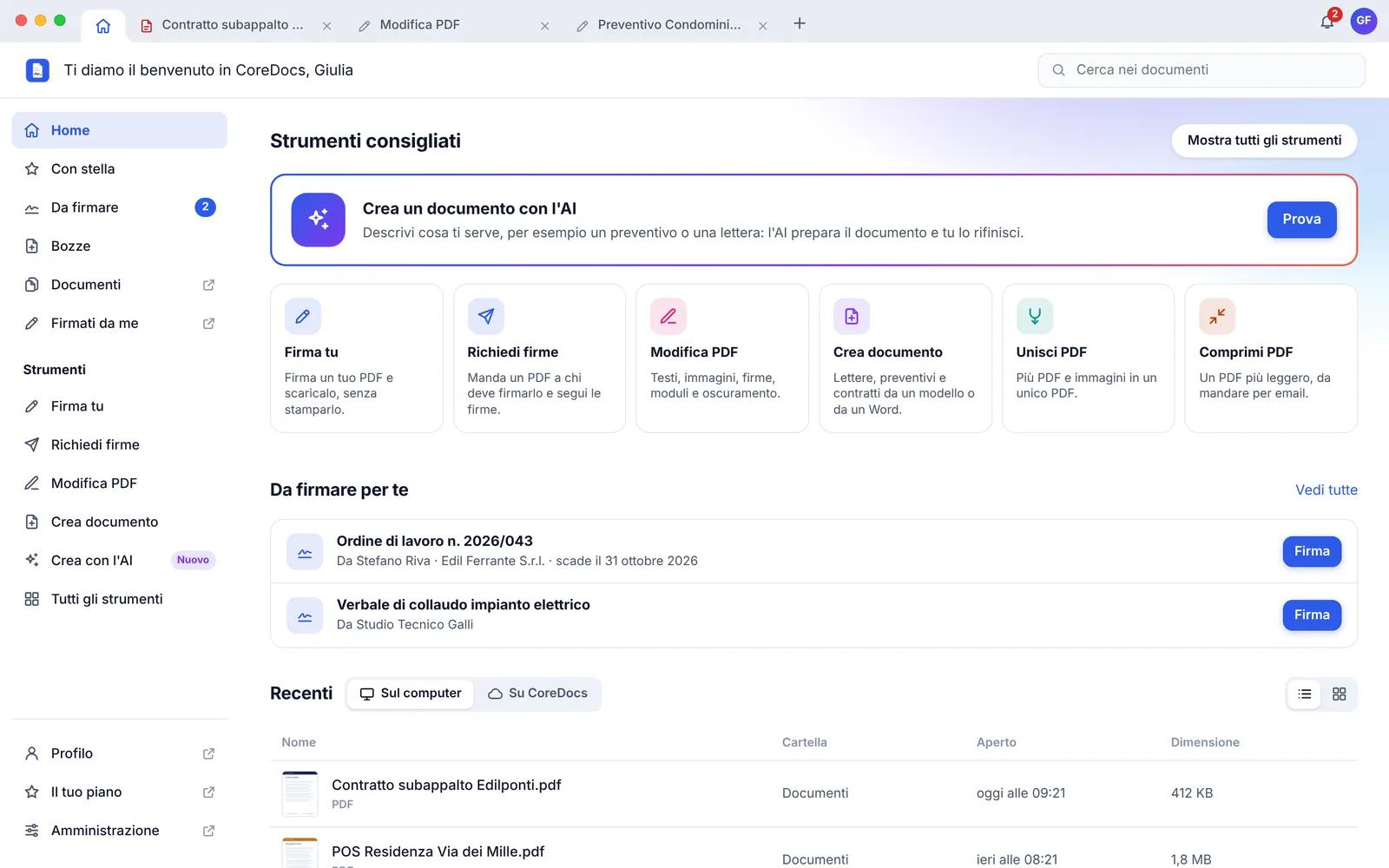
- For Windows and MacA Home page with the features on the left, the documents to sign and the recent ones; several PDFs and tools open together in side-by-side tabs, with the “+”, as in a browser.
- Quick viewerDouble-clicking a PDF opens it in a fast window to view, print and sign; “Open in CoreDocs” moves it to the tabs.
- For iPhone and AndroidSign and request signatures from the phone, scan documents with the camera, use the tools and Edit PDF; notifications tell you when someone signs.
Connected to CoreJob
Signatures start from CoreJob, automatically.
With a connection key, CoreJob sends CoreDocs the documents to be signed and receives the signed documents back.
- Service reports signed remotely by the customer, also on the client’s own form
- Supplier contracts signed online from the portal, with “Sign now”
- Signature status checked automatically and signed PDFs returned to their place
- One account with CoreCloud
Book a demo based on your own sites.
Thirty minutes on your real cases: crews, sites, business trips and documents. We reply within one working day.
- Emailinfo@corejob.it
- Phone+39 347 808 7739