CoreMail
Company email, connected to signatures and files.
CoreMail brings your company mailboxes into a single inbox and connects them to CoreDocs and CoreCloud: a contract you receive is signed and sent back without downloading it, attachments are filed with one click and customer communications go out as campaigns, with results. It runs in the browser, with the same account as CoreCloud and CoreDocs.
All your mailboxes
The mailboxes you already use, in a single inbox.
Add them with their email address: CoreMail recognises the servers of the main providers on its own, including company mailboxes.
- Supported providersGmail, Outlook and Microsoft 365, iCloud, Yahoo, Libero, Aruba, Italian PEC certified mailboxes and any IMAP mailbox set up by hand.
- A single inboxAll mailboxes together, each with its own colour, or one at a time; conversations, folders and notifications for new mail.
- PECEnvelopes show the original message, and acceptance and delivery receipts are recognised, with delivery status for each recipient.
- WritingSignatures per mailbox, templates, “Undo send”, scheduled sending and a compose window that moves around the page or opens in a separate window.
- Safe messagesExternal images stay blocked until you choose to show them, misleading links are flagged and mailbox passwords are encrypted.
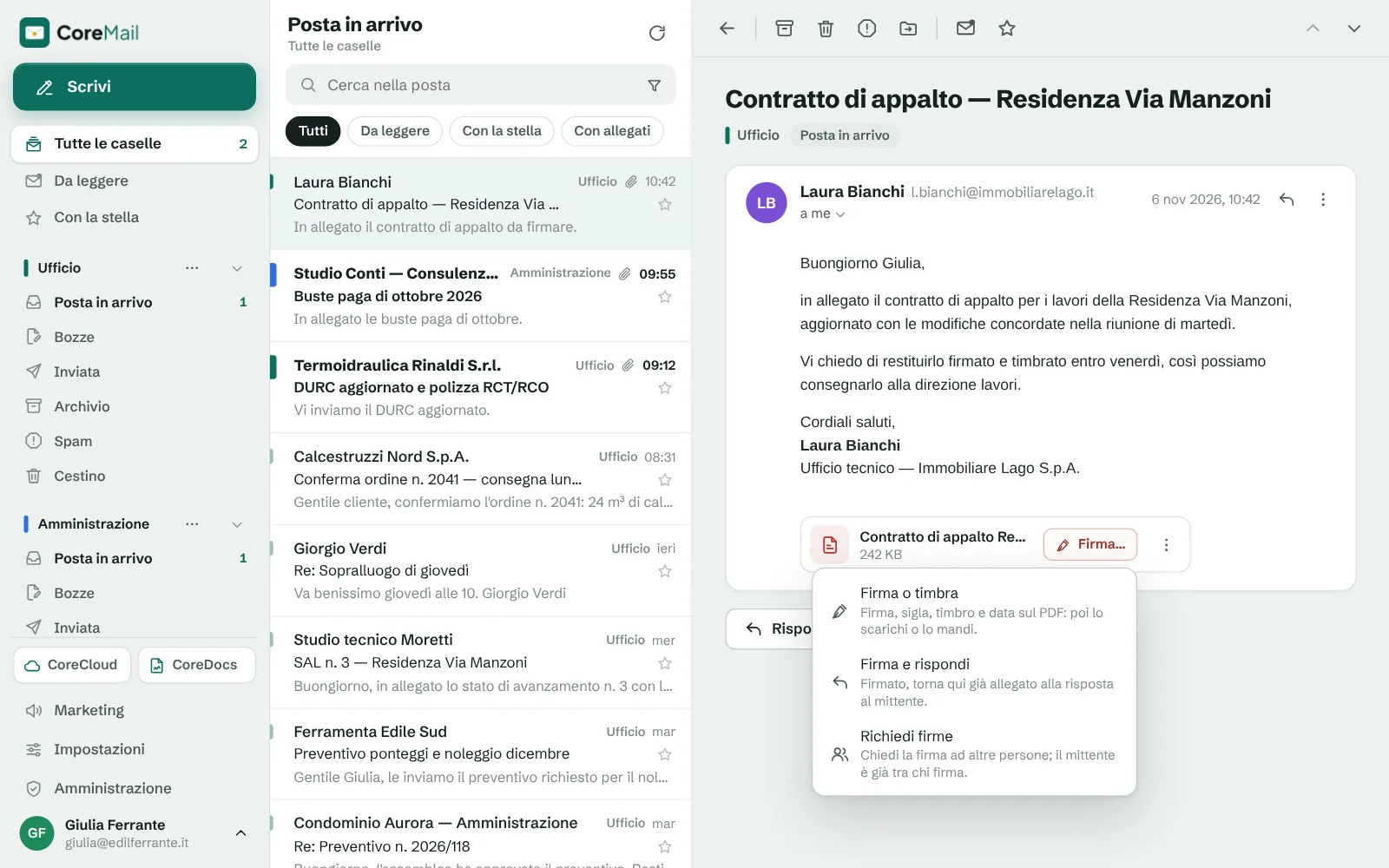
Signing with CoreDocs
A contract received, signed and sent back without downloading it.
On PDF attachments, CoreMail offers the CoreDocs actions with the same account: no downloads, no extra software.
- The PDF arrivesA customer sends a contract to be signed as an attachment.
- Sign or stampCoreDocs opens directly on the document: signature, initials, stamp, date and text.
- Sign and replyThe signed PDF returns to CoreMail already attached to the reply to the sender.
- Or request signaturesThe document goes out for other people to sign, with the sender already among the signers; CoreMail shows its status.
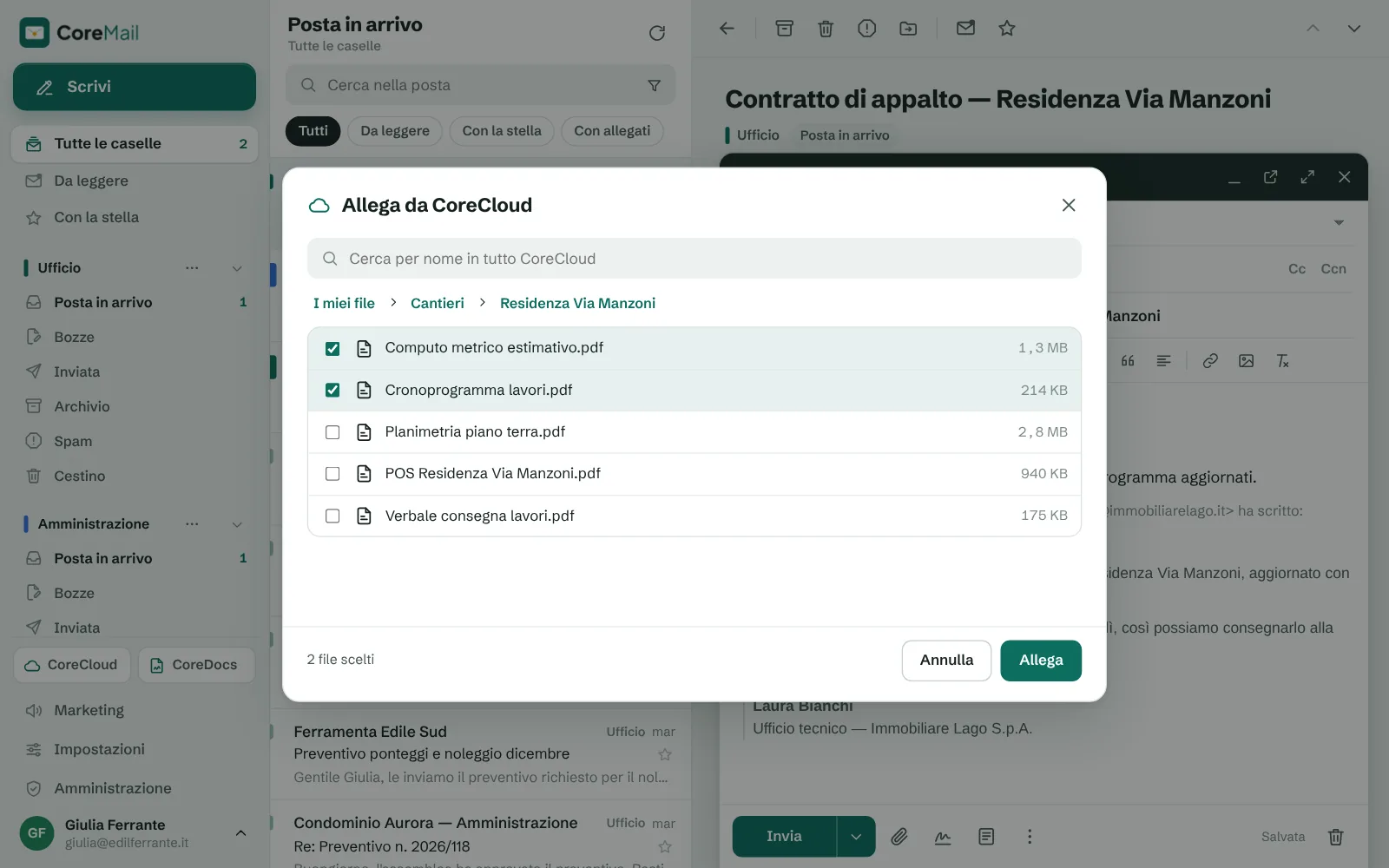
Filing with CoreCloud
Attachments, to and from the company archive.
- Attach from CoreCloudFolders and search by name; documents and sheets from the editor are attached in Word and Excel format.
- Save to CoreCloudAn attachment or the whole message, with its attachments, is saved to the CoreMail folder, organised by day, or to the folder you choose.
- Large filesFiles too large for email are sent as links with an expiry date, which stay visible and revocable among your shares.
Campaigns and newsletters
Customer communications, with results.
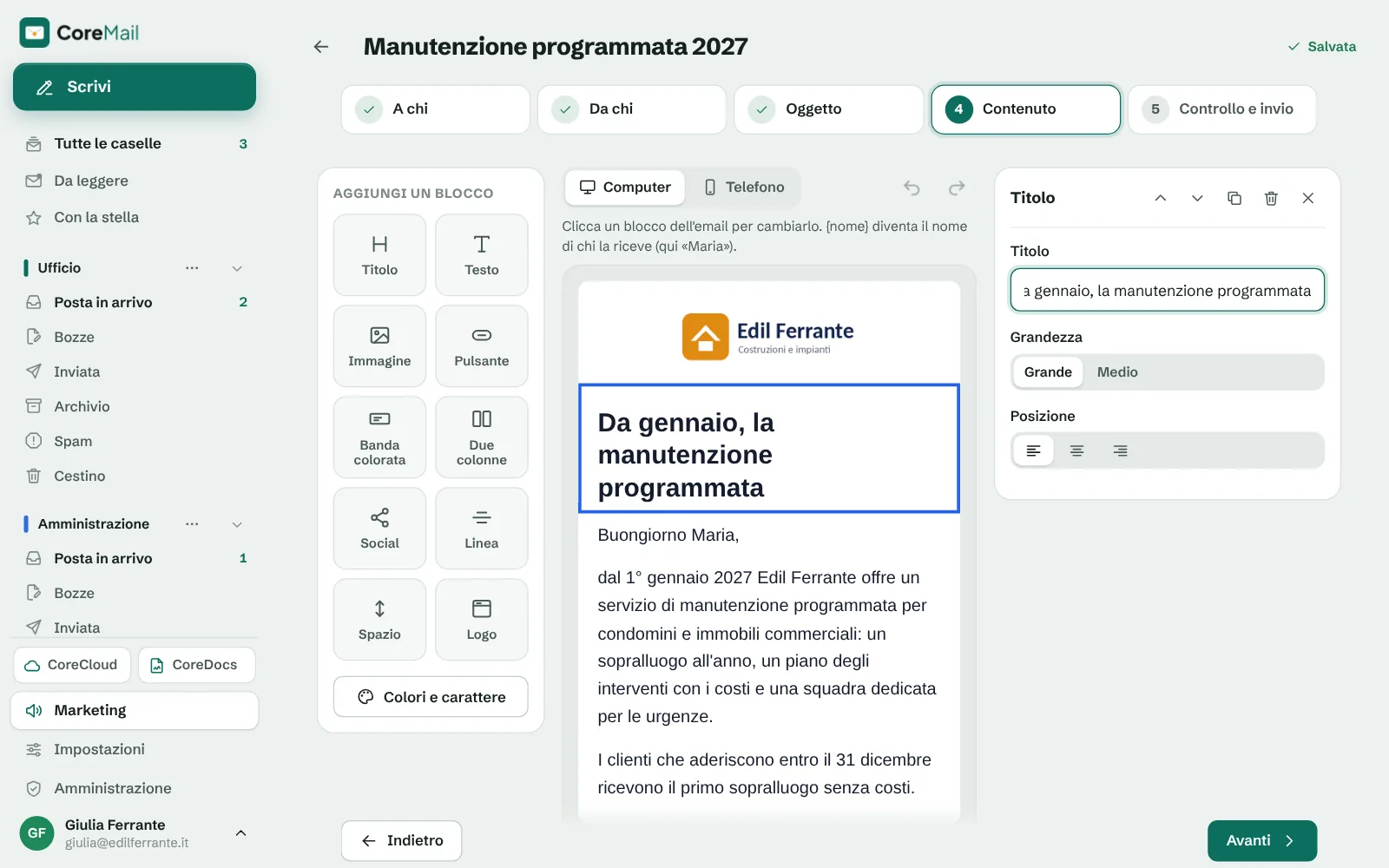
CoreMail marketing guides each campaign step by step, from the audience to sending, and measures the results.
- People and listsContacts imported from a file or the address book, or entered by hand, only with recorded consent; sign-up forms with email confirmation.
- Block editorLogo, headings, text, images, buttons and columns, with computer and smartphone preview and seven ready-made templates; your style is set once.
- Gradual sendingEmails go out from your mailbox within hourly and daily limits, to stay out of spam; for large lists, a dedicated sending service can be connected.
- ReportDeliveries, opens, clicks with the most clicked links, unsubscribes and bounces, person by person.
- ComplianceEvery email shows the sender’s details and the unsubscribe link, including one-click unsubscribe in Gmail and Apple Mail.

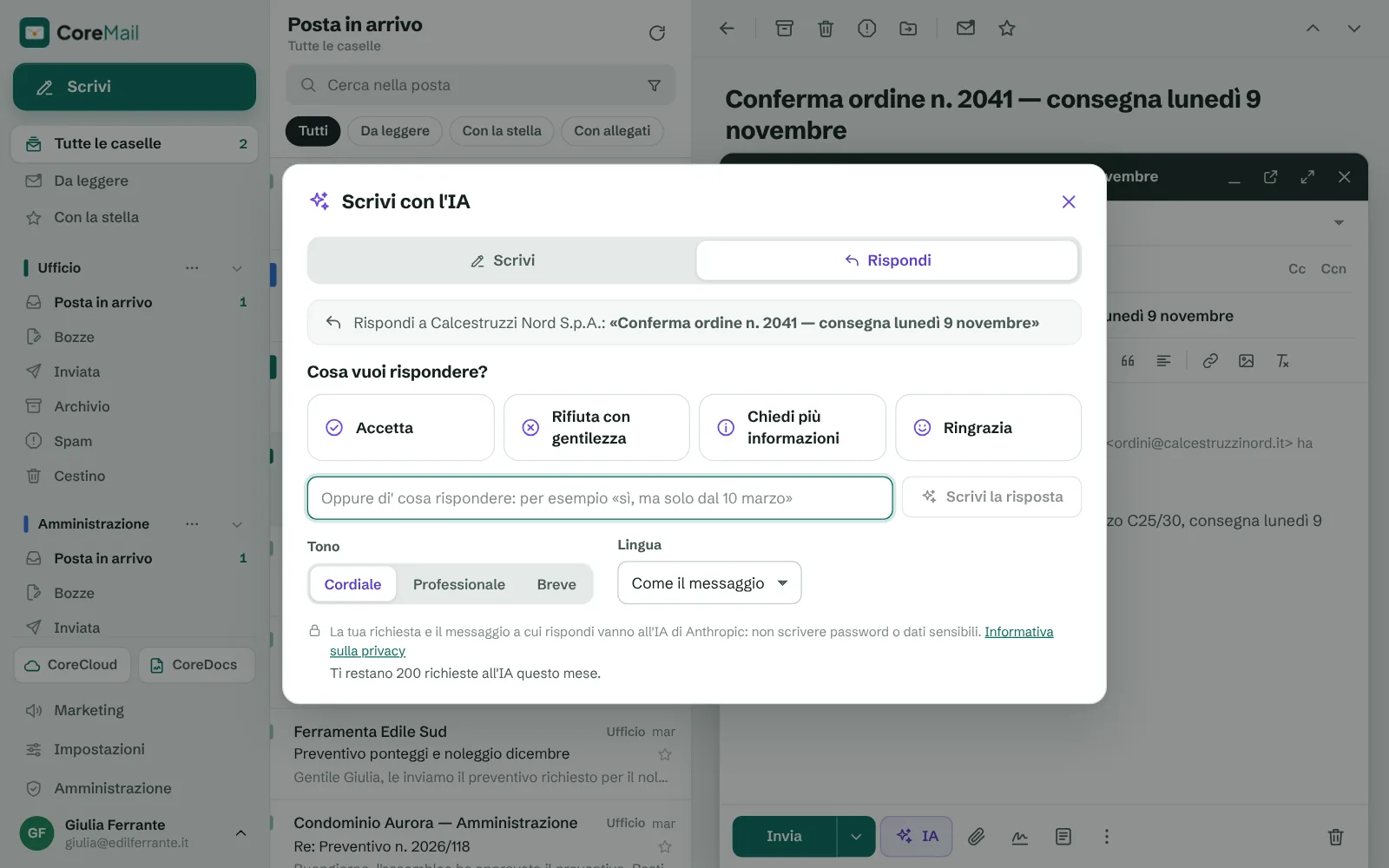
AI assistant
An assistant for writing, which never sends anything on its own.
The assistant, based on Anthropic’s Claude, is switched on from the administration panel and can be limited to selected people.
- WriteEmails from your instructions or a ready-made idea, in the tone and language you choose; also complete campaigns, starting from a few questions.
- Rewrite and translateImproves, corrects, shortens, makes the text more formal or friendlier and translates into CoreMail’s six languages.
- ReplyAccepts, politely declines, asks for information or says thank you, starting from the message being answered.
- ConfidentialityEvery proposal must be confirmed, and data the assistant does not know becomes fields to complete. Only the request and the relevant text are sent to Anthropic, never attachments, images, email addresses or passwords.
Account and security
The same account as CoreCloud and CoreDocs.
A single, protected login, in six languages.
Single sign-on
If you are logged in to CoreCloud or CoreDocs, CoreMail opens without logging in again, and vice versa; the session stays active until you log out.
Two-step verification
SMS code after the password, backup codes and devices remembered for 30 days.
Connected devices
The list of browsers with an open session, which can be closed remotely.
Your logo in messages
CoreMail checks the domain and indicates the records to publish to show the company logo (BIMI) in the email programs that support it.
Data under control
Email stays on the mailbox servers; “Delete CoreMail data” removes mailboxes, drafts, signatures, templates and contacts.
Six languages
Italian, English, Spanish, French, Chinese and Catalan, also for the AI assistant and the campaigns’ public pages.
A demo built around your company.
Thirty minutes on your real cases: crews, sites, business trips and documents. We will get back to you within one working day.
- Emailinfo@corejob.it
- Phone+39 347 808 7739