Supplier portal
Subcontractors upload the documents. You validate them.
A separate page of your CoreJob, with your brand, where third-party companies manage their workers, company documents, contracts and work orders on their own. You see at a glance who can enter the site.
How it works
From registration to the site, in six steps.
- The company registersCompany name, verified VAT number, contact person, email and password.
- The office approvesOr rejects, stating the reason. If you prefer, approval can be switched off.
- The supplier uploads workers and documentsFor each worker the required documents, with expiry or permanent validity.
- The office validatesEach document stays “to be validated” until it is validated or marked as invalid.
- Contracts are signedDownloaded, signed and re-uploaded, or signed online with CoreDocs.
- Orders arriveThe work order arrives by email as a PDF and the supplier accepts it from the portal.
Suppliers’ workers
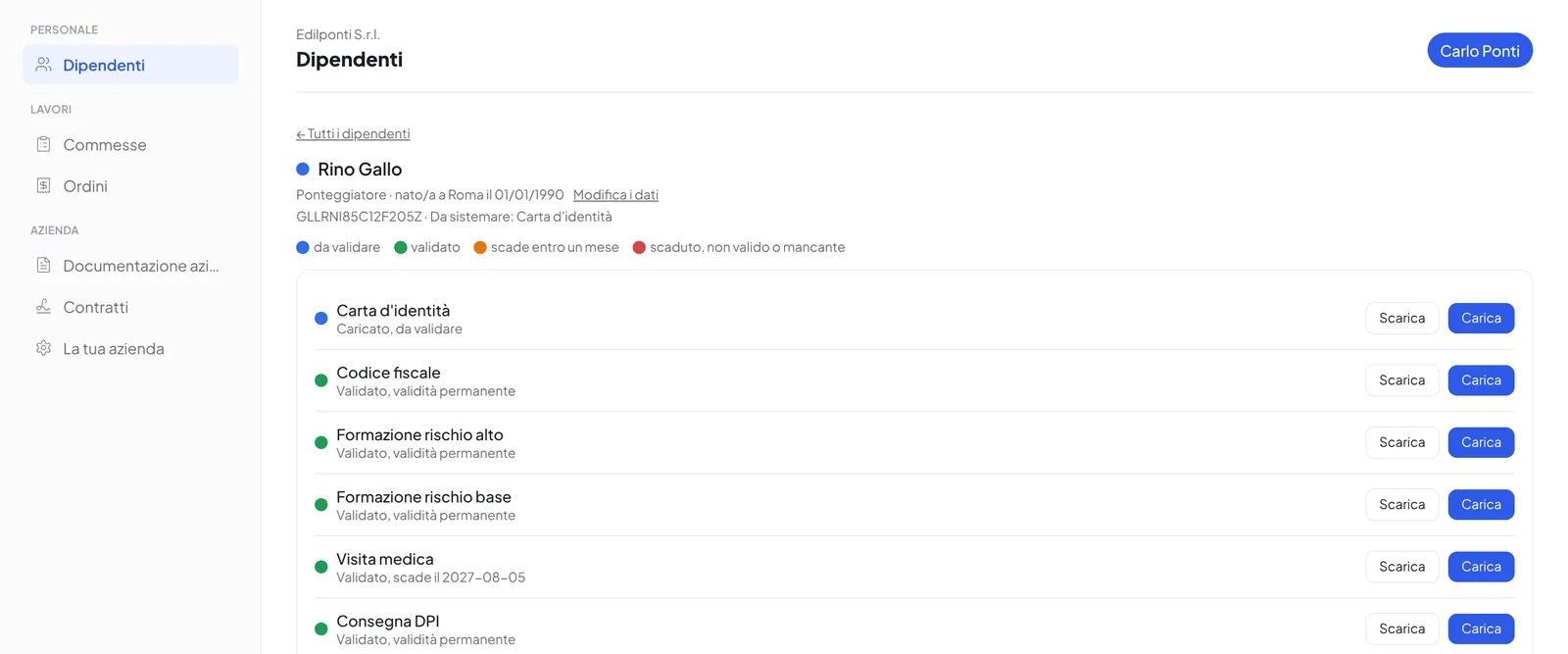
A worker is in order only when everything has been validated.
The supplier enters first name, surname, tax code, date and place of birth and job, then uploads the required documents.
- Mandatory by default: identity card, tax code, high-risk and basic safety training, medical check-up, PPE hand-over
- Other documents, such as forklift or aerial platform licences, which you add and make mandatory or optional
- Expiry entered by the supplier or permanent validity
- The worker’s dot is the worst among their mandatory documents
- Uploaded, to be validatedAwaiting the office’s check
- ValidatedValid and checked
- ExpiringExpires within a month
- Expired or missingExpired, invalid or not uploaded
Company documentation
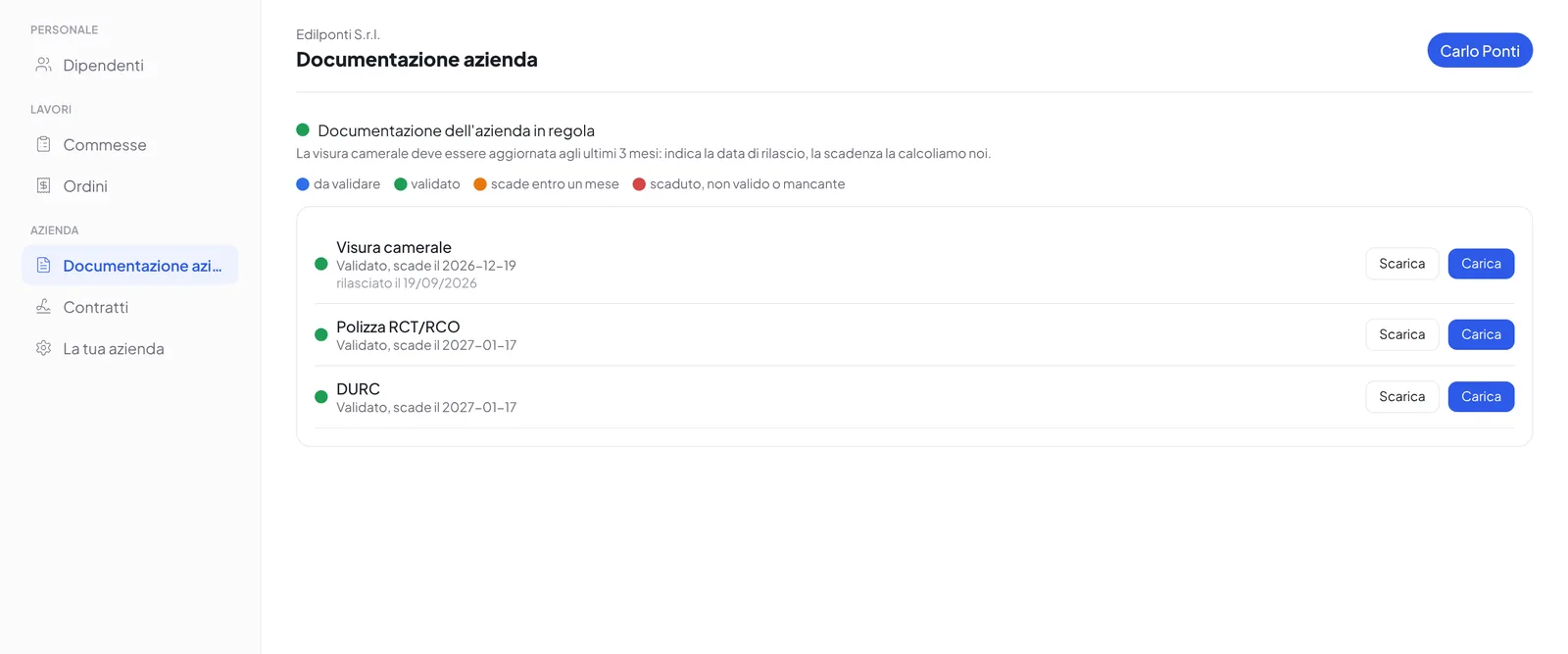
Registration, insurance and compliance, always up to date.
- Company registration certificateThe supplier enters the issue date and the expiry is calculated automatically, at three months. An older certificate is refused immediately.
- Liability insurance and compliance certificateWith their expiry, the same dots and the same validation as the workers’ documents.
- Complete company detailsRegistered and operational offices, certified email, invoicing code, registration numbers, activity code, collective agreement, social security and insurance positions, construction fund, safety officer, company doctor, workers’ representative, supervisor, IBAN.
- Custom entriesOther documents required from the company, also with a validity of a certain number of months from the issue date.
Contracts
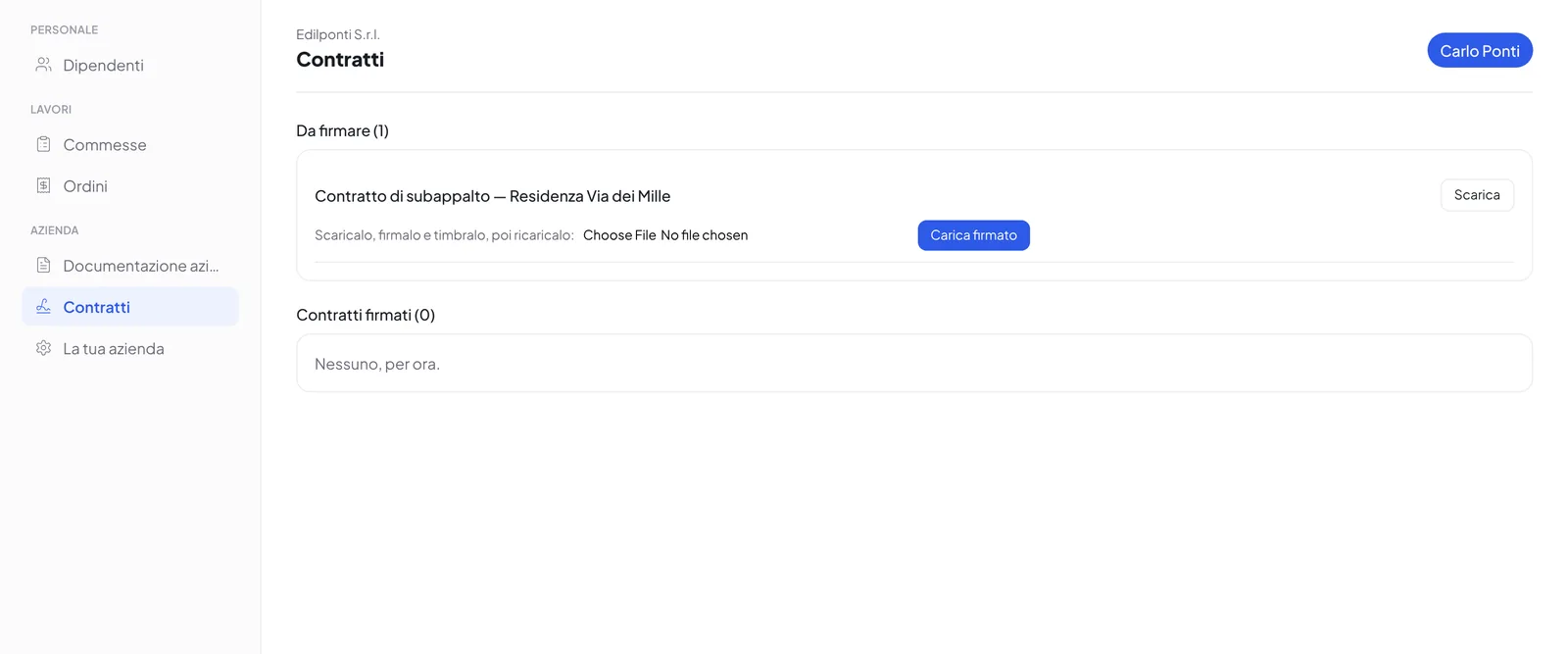
Send the contract, get it back signed.
- Handwritten signatureThe supplier downloads the contract, signs and stamps it, re-uploads it. The contract moves to the signed ones and you receive an email.
- Online signatureWith CoreDocs connected, the contract is sent for online signature: the contact person presses “Sign now” in the portal or uses the link received by email.
- ArchiveContracts to be signed and signed contracts always available, for you and for the supplier.
Work orders
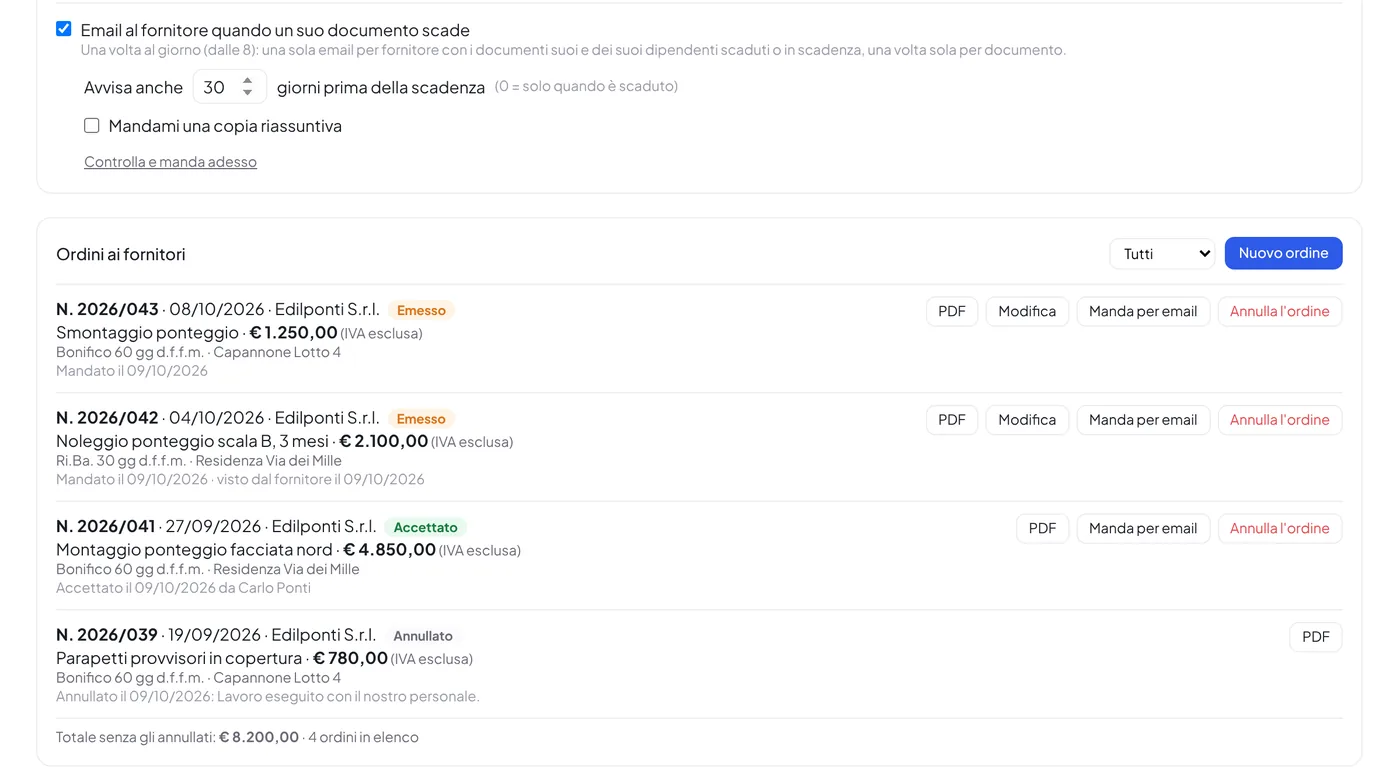
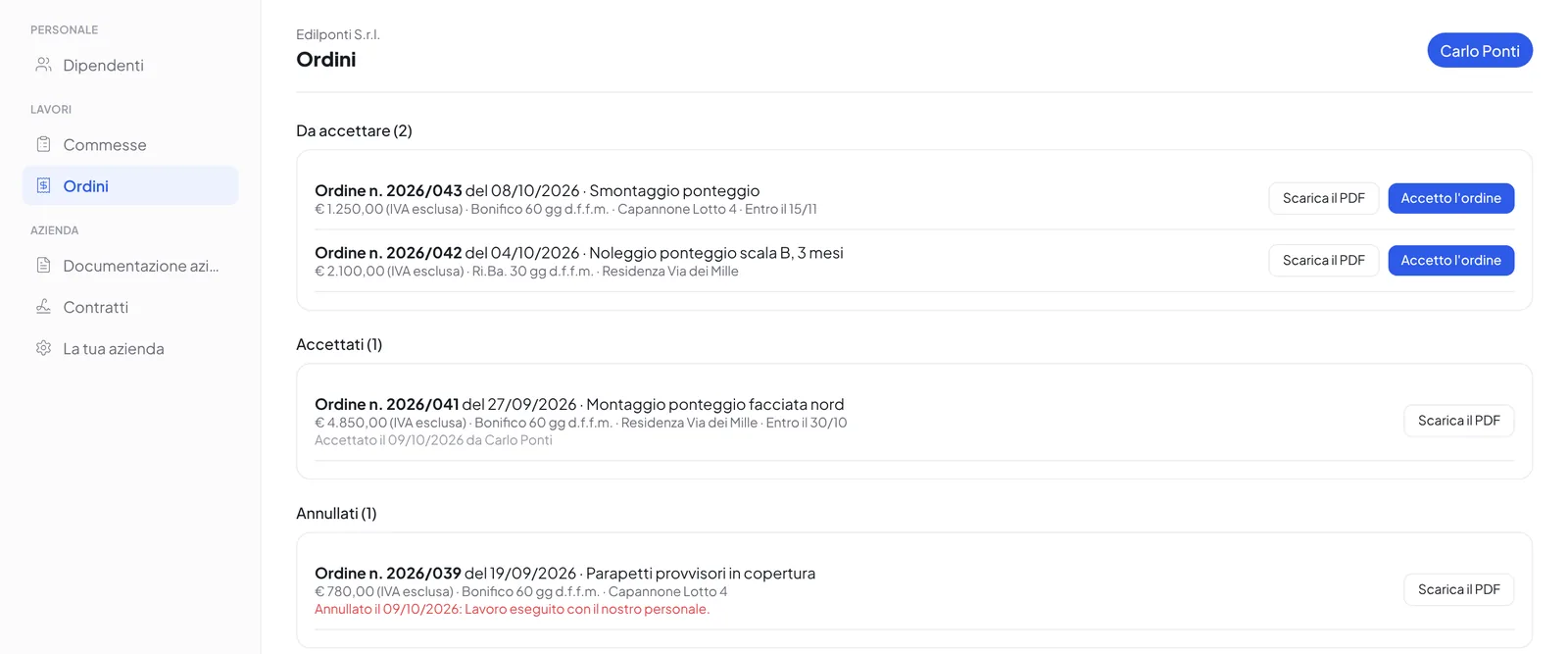
The order leaves from the panel. The supplier accepts it online.
- Issued in a minuteSupplier, number (proposed automatically), subject, amount, VAT and payment terms: the terms used last time with that supplier are proposed.
- PDF on your letterheadThe supplier receives the order by email as a PDF, with space for acceptance, and finds it again in their portal.
- Accepted with one clickThe supplier accepts it from the portal: you receive an email and the order moves to “Accepted”, with who and when.
- Changes and cancellationsUntil it is accepted the order can be corrected and the supplier receives the updated one; it is cancelled by writing the reason, which the supplier reads.
Deadlines
Expiring documents, reminded by email.
Every morning CoreJob checks the documents of the suppliers and their workers and writes to whoever has to update them.
- A single email a day per supplier, with all their expired or expiring documents
- Advance notice of your choice: thirty days before by default, or only once expired
- Each document is flagged only once; once the new one is uploaded, it is no longer flagged
- A summary copy to the office, if you want it
Edil Ferrante S.r.l.
Documenti scaduti o in scadenza — Edil Ferrante S.r.l.
Ciao Carlo,
nel portale fornitori di Edil Ferrante S.r.l.:
questo documento è SCADUTO:
– DURC (documento dell'azienda): scaduto il 08/10/2026
questi documenti stanno per scadere:
– Rino Gallo — Visita medica: scade il 21/10/2026
– Elio Rana — Formazione rischio alto: scade il 02/11/2026
Carica il documento aggiornato dal portale fornitori:
https://ore.edilferrante.it/fornitori
nel portale fornitori di Edil Ferrante S.r.l.:
questo documento è SCADUTO:
– DURC (documento dell'azienda): scaduto il 08/10/2026
questi documenti stanno per scadere:
– Rino Gallo — Visita medica: scade il 21/10/2026
– Elio Rana — Formazione rischio alto: scade il 02/11/2026
Carica il documento aggiornato dal portale fornitori:
https://ore.edilferrante.it/fornitori
For the office
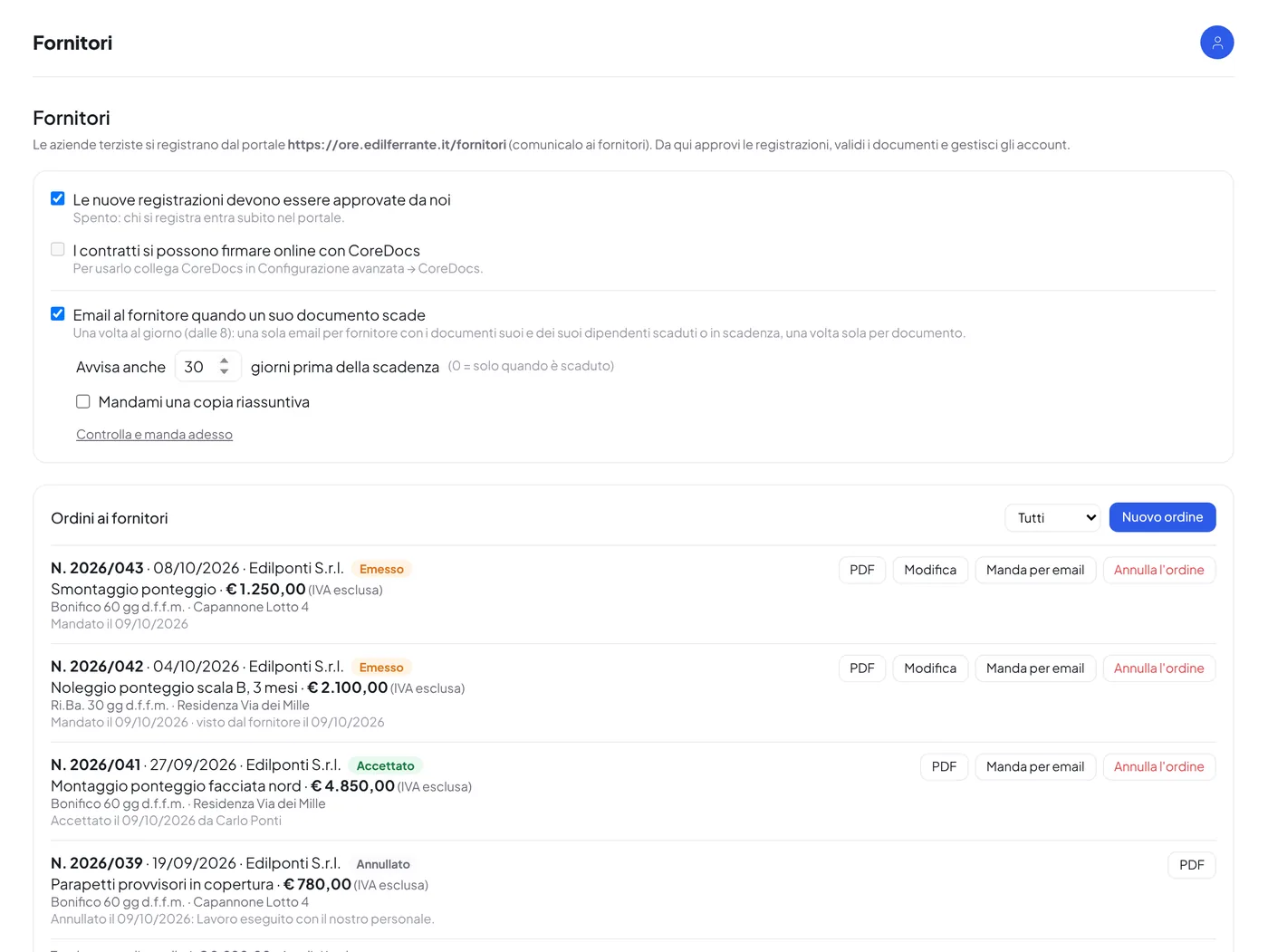
Everything from a single screen.
- List of suppliers, with those awaiting approval at the top
- Summary per supplier: dot of the company documents and number of validated workers
- Queue of documents to validate from all suppliers
- Validation or rejection with the reason, sent to the supplier by email
- Account suspension and reactivation, with the reason
- Work orders with their status: issued, accepted, cancelled
- Automatic emails to suppliers for expired or expiring documents
- Encrypted passwords and access blocked after five wrong attempts
Book a demo based on your own sites.
Thirty minutes on your real cases: crews, sites, business trips and documents. We reply within one working day.
- Emailinfo@corejob.it
- Phone+39 347 808 7739